How Mobile X-Ray Providers Can Fax STAT Reports to Nursing Homes Without Delays
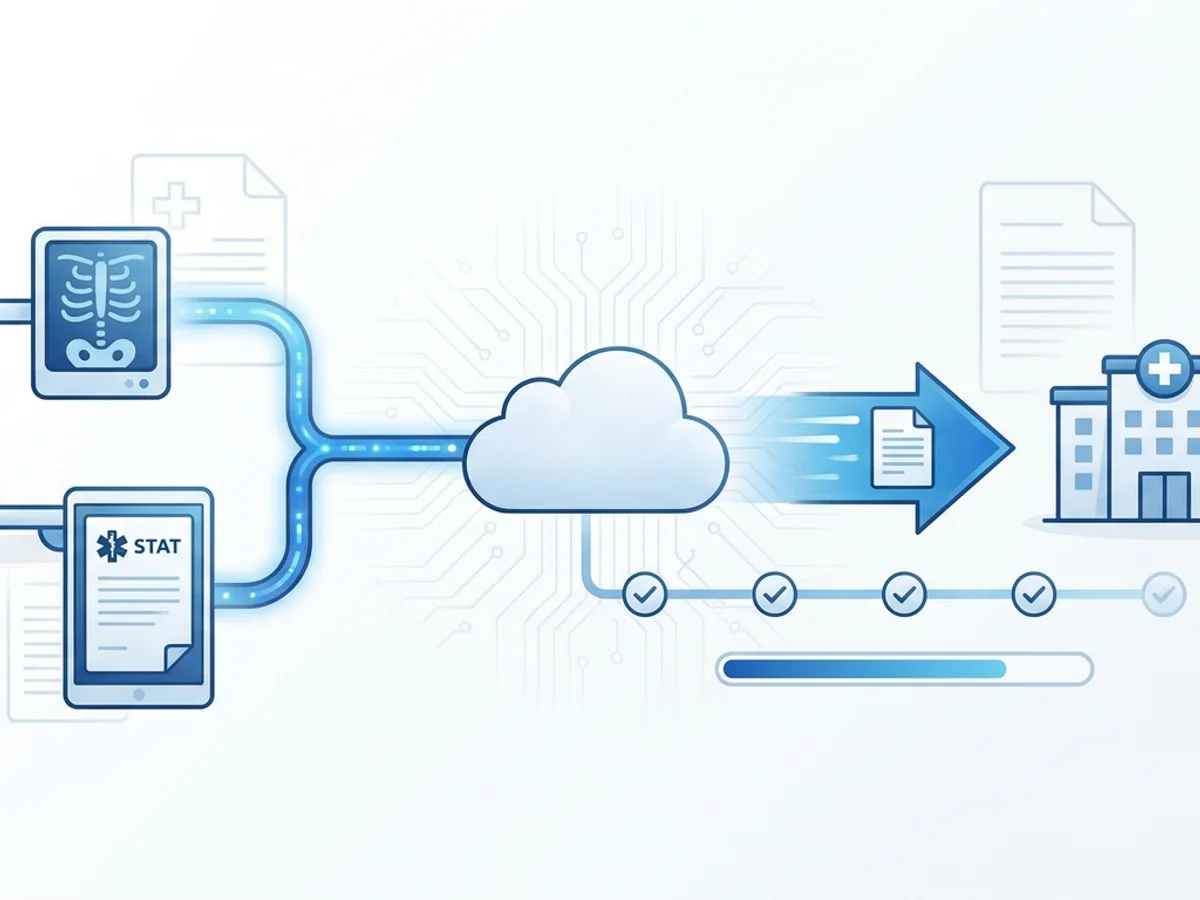
A mobile X-ray tech finishes an evening STAT chest study in a resident’s room. The radiologist reads it quickly, the report is ready, and the nursing home is waiting on results before deciding whether to transfer the resident, start treatment, or call the family.
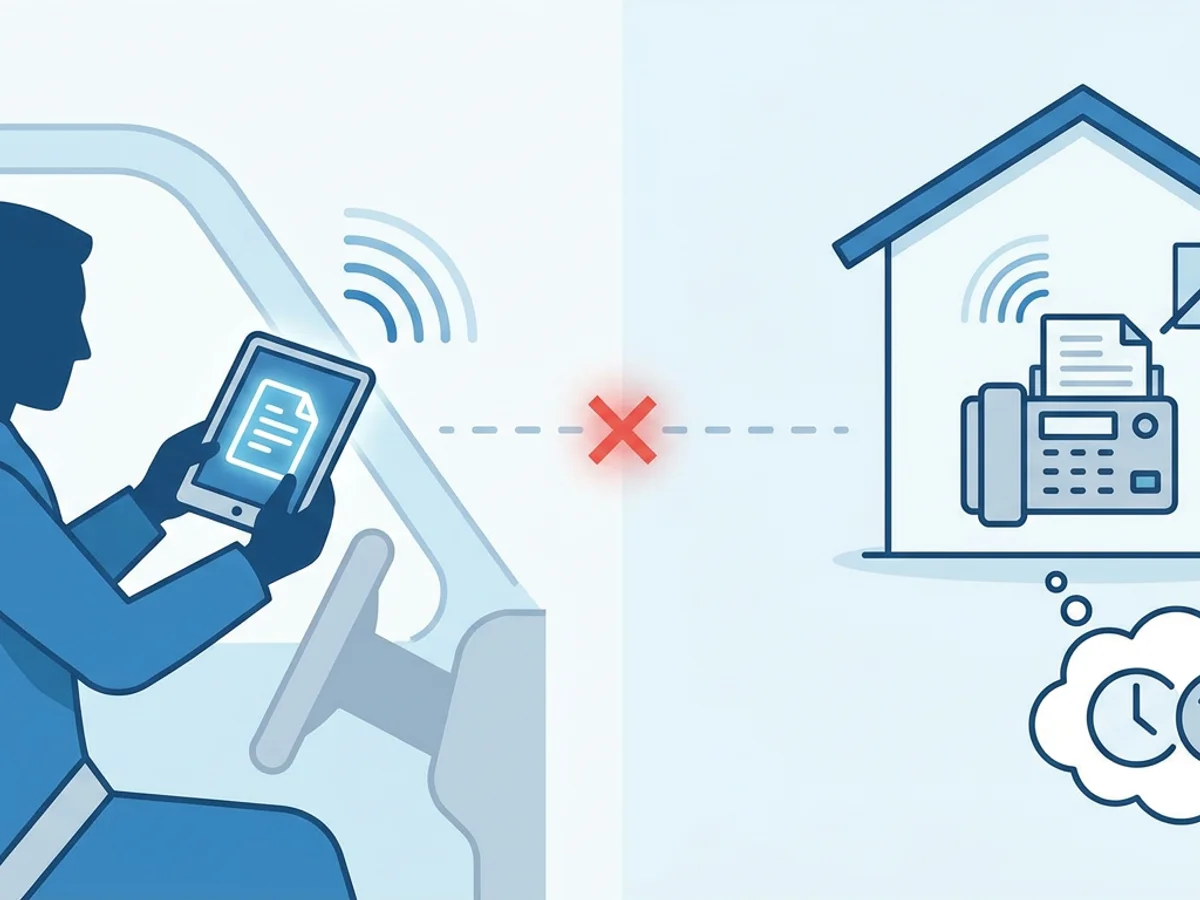
Then the delay happens: the office fax line is busy, the tech is already on the road, the report is saved as a PDF on a tablet, and the nursing station wants the results faxed—not emailed, not texted, not “sent later.”
For mobile diagnostic imaging providers, STAT reporting is not just about reading the image quickly. It is about getting the final report into the hands of the nursing home team with as little friction as possible. Fax is still deeply embedded in long-term care workflows, especially for physician orders, radiology reports, lab results, and medication-related documentation. That means a slow or clunky fax process can undermine an otherwise fast clinical workflow.
This guide walks through practical ways mobile X-ray companies can reduce report delays when faxing STAT results to nursing homes, including how browser-based faxing can help when staff are working from vans, facilities, after-hours reading desks, or home offices.
Where STAT Fax Delays Usually Start
Most delays are not caused by one dramatic failure. They usually come from small bottlenecks that add up at exactly the wrong time.
A typical mobile X-ray workflow may involve several handoffs:
- The technologist completes the exam at the nursing home.
- Images are transmitted for interpretation.
- The radiologist finalizes the report.
- Dispatch, operations, or a report coordinator sends results to the facility.
- The nursing station confirms receipt and routes the report to the appropriate nurse, provider, or chart.
When everything is centralized and fully staffed, this can work smoothly. But STAT exams often happen during evenings, weekends, holidays, shift changes, and periods when the nursing home is short-staffed. That is when fax delays tend to appear.
Common causes include:
- A single office fax machine becoming the choke point. If everyone depends on one physical machine, staff must be near it to send reports.
- Busy or incorrect nursing home fax numbers. Long-term care facilities may have separate fax numbers for nursing, admissions, medical records, units, or physician orders.
- Reports trapped on one device. A PDF may be ready, but the person responsible for faxing it may not be at a desktop computer.
- After-hours staffing gaps. The radiologist may sign off quickly, but the person who normally sends faxes may be unavailable.
- No confirmation loop. A report is assumed to be sent, but no one checks the delivery receipt until later.
- Cover page confusion. Missing resident identifiers, unit names, or callback details can slow routing once the fax arrives.
For STAT work, the goal is not only “send the fax.” It is to build a process where the right report is sent to the right fax number, with proof of delivery, fast enough to support care decisions.
Build a STAT Fax Workflow That Matches Mobile Reality
Mobile imaging is not a desk job. A practical fax workflow must account for staff who are moving between facilities, working from different devices, and handling urgent requests outside standard business hours.
That starts with deciding who sends the report at each stage of the day.
For example, one provider might use this workflow:
- During business hours, the reporting team sends all finalized reports from the office.
- After 5 p.m., the on-call coordinator sends STAT reports from a laptop at home.
- If the coordinator is unreachable, the dispatcher or technologist can send the finalized PDF from a phone or tablet.
- A delivery receipt is saved or noted before the case is closed.
The details will vary, but the principle is the same: remove dependence on a single physical location.
BestFax.com lets users send and receive faxes from a web browser on a phone, tablet, or computer. For mobile X-ray providers, that matters because a STAT report may need to be faxed while the responsible staff member is not sitting beside an office fax machine. Browser-based faxing works in Safari, Chrome, Firefox, and Edge, with no app download required.
The service supports PDF, Word, and image file uploads, which fits common reporting scenarios. If the final radiology report is exported as a PDF, staff can upload it directly. If a document is in Word format or an image file, those formats are supported as well.
A good STAT workflow should also define what information must be included every time. A professional fax cover page can help standardize the transmission and reduce callbacks from nursing homes asking, “Who is this for?” or “Which unit needs this?”
Useful cover page details may include:
- Facility name
- Nursing station or unit, if known
- Resident name or approved identifier used by your organization
- Date and time of exam
- Type of study, such as chest X-ray or hip X-ray
- Ordering provider, if available
- Callback number for urgent questions
- Sender name or department
- Number of pages included
Even when a report itself contains key details, a clear cover page helps the receiving nursing station route the fax faster.
A Practical Example: Evening STAT Chest X-Ray
Consider a common scenario.
A nursing home calls at 7:15 p.m. requesting a STAT portable chest X-ray for a resident with new shortness of breath. The technologist arrives, performs the exam, and transmits the images. The radiologist finalizes the report at 8:10 p.m.
The result needs to reach the nursing station quickly. The facility has asked for fax delivery because that is how it receives and files outside diagnostic results.
Without a flexible fax process, several things can slow the case down. The office may be closed. The dispatcher may be away from the fax machine. The technologist may be in the van heading to the next facility. The report PDF may be available, but no one has a convenient way to fax it immediately.
With browser-based faxing, the assigned after-hours coordinator can open the report on a laptop, tablet, or phone, log in through a supported browser, attach the PDF, add a cover page, enter the nursing station fax number, and send. Once the fax is transmitted, the coordinator can check the confirmation or delivery receipt and document that the report was sent.
That receipt is important. STAT cases often generate follow-up questions:
- Did the fax actually go through?
- What time was it sent?
- Was the number correct?
- Should the facility be called because the fax failed?
Fax confirmation does not replace a clinical escalation policy, and urgent findings may require direct phone communication depending on your organization’s procedures. But delivery receipts help prevent uncertainty about whether the report transmission itself succeeded.
BestFax.com provides fax confirmation and delivery receipts, which can support internal tracking and follow-up. If a transmission fails, staff know they need to verify the number, resend, or contact the facility rather than assuming the report arrived.
Reduce Nursing Home-Side Delays, Not Just Sender-Side Delays
Fast sending is only half the process. Nursing homes are busy environments, and a fax can still stall after it arrives if it is hard to identify or route.
A report sent to the wrong fax number may sit in medical records instead of reaching the nurse caring for the resident. A cover page with no unit or callback number may force the receptionist to guess where it belongs. A blurry scan or incomplete attachment may result in a callback and resend.
Mobile X-ray providers can prevent many of these issues by maintaining a clean facility fax directory. Do not rely on one general fax number if a nursing home uses different numbers for different units or departments. When possible, confirm the preferred STAT report fax number during onboarding and periodically re-check it.
A simple facility record might include:
| Facility detail | Why it matters |
|---|---|
| Main fax number | Useful as a fallback, but may not be best for STAT results |
| Nursing station fax | Often the fastest destination for urgent resident reports |
| Unit-specific fax numbers | Helps larger facilities route results correctly |
| After-hours contact number | Needed if fax delivery fails or urgent verbal communication is required |
| Preferred cover page instructions | Some facilities request floor, wing, room, or unit details |
| Last verified date | Prevents old numbers from staying in circulation |
This is not glamorous administrative work, but it has a direct impact on turnaround time.
It also helps to create naming conventions for report files before faxing. A file name such as STAT_Chest_Xray_Smith_2026-02-14.pdf is easier for staff to recognize than report-final-v3.pdf. Use whatever naming approach fits your internal policies, but make sure staff can quickly identify the correct file before sending.
Staff should also know when to follow up by phone. For instance, your internal procedure may require a call when a report contains critical findings, when a fax fails, or when the facility requested a STAT callback. The fax process should support those clinical workflows, not replace them.
Security, Compliance, and Honest Expectations
Healthcare-related faxing requires care. Reports may contain sensitive information, and mobile teams should use tools and procedures that reflect that reality.
The service uses TLS encryption for fax transmissions. That helps protect data during transmission through the online fax workflow. At the same time, it is important to be precise: the service does not offer a BAA or healthcare-specific compliance certification. Organizations that have specific legal, contractual, or regulatory requirements should review those requirements with their own compliance advisors before choosing any fax process.
That honesty matters because mobile imaging providers operate in a high-accountability environment. A fax tool can make sending and receiving reports more convenient, but it does not automatically solve every compliance obligation, document retention policy, or clinical escalation requirement.
To keep your STAT reporting workflow reliable, consider these practical safeguards:
- Limit report sending to trained staff.
- Double-check recipient fax numbers before sending.
- Use clear cover pages and avoid unnecessary extra information.
- Confirm delivery receipts for STAT cases.
- Document failed transmissions and resend attempts.
- Maintain internal policies for urgent and critical findings.
- Periodically audit facility fax numbers and after-hours instructions.
Browser-based faxing can reduce logistical friction, but process discipline still matters.
Choosing the Right Fax Setup for STAT Mobile Imaging Work
Some mobile X-ray providers still rely on a traditional fax machine in the office. That may be fine for routine daytime reports, but it can become limiting for STAT cases and distributed teams.
A more flexible setup should answer these questions:
- Can staff send a finalized report when they are away from the office?
- Can the workflow run from common browsers on phones, tablets, and computers?
- Are PDF reports easy to upload?
- Can the sender include a professional cover page?
- Does the sender receive confirmation or delivery status?
- Is pricing simple enough for occasional or backup use?
BestFax.com is designed for browser-based sending and receiving, with support for common file types and confirmations after faxing. Pricing is straightforward: $4.95 one-time per fax or a $10/month subscription. There is no free trial, so providers should choose the option that fits their expected fax volume.
For some mobile imaging companies, online faxing may become part of the regular after-hours workflow. For others, it may serve as a backup when the office fax machine is unavailable, a coordinator is working remotely, or a STAT report needs to go out before someone can return to the office.
The strongest workflows are usually redundant. If one fax number is busy, staff know the alternate. If one person is unavailable, another trained person can send. If a fax fails, the failure is visible and triggers action. The technology matters, but the handoff rules matter just as much.
A Short STAT Fax Checklist for Mobile X-Ray Teams
Before closing a STAT case, staff should be able to answer a few basic questions:
- Is the final report complete and attached?
- Is the destination fax number the correct nursing station or unit?
- Does the cover page identify where the report should go?
- Was the fax sent successfully?
- Was the delivery receipt checked?
- If delivery failed, was the number verified and the fax resent?
- If the result requires additional escalation, was the appropriate call made?
That checklist may seem simple, but simple is what works under pressure. STAT reporting involves enough clinical complexity. The fax process should be clear, repeatable, and usable from wherever the responsible staff member is working.
Mobile X-ray providers cannot control every delay inside a nursing home, but they can control their own transmission process: accurate numbers, clear cover pages, fast access to faxing, and documented delivery status.
Send your first fax at BestFax.com.
Related Posts
How Sports Medicine Clinics Fax MRI Orders Without Authorization Delays
Practical ways sports medicine clinics can fax MRI orders with cleaner packets, better routing, delivery receipts, and fewer authorization delays.
How Vision Clinics Fax Eyeglass Prescriptions to Labs Without Order Delays
Practical ways vision clinics can fax eyeglass prescriptions to labs with fewer missing pages, callbacks, and order delays.

How Adoption Agencies Fax Home Study Reports Without Court Filing Delays
Adoption agencies can avoid court filing delays by preparing clean home study fax packets, verifying recipients, and saving delivery receipts.