How Radiology Centers Fax Prior Authorizations Without Scan Delays
A patient is on the schedule for a CT abdomen with contrast at 9:30 a.m. The technologist is ready, the scanner is open, and the patient has already arranged time off work. Then the front desk discovers the payer still needs the prior authorization documentation faxed before approval can be finalized.
That is the kind of small administrative snag that can become a scan delay, a reschedule, or an irritated referring office. Radiology centers deal with this constantly: insurance plans want clinical notes, order forms, CPT codes, diagnosis codes, contrast details, and sometimes peer-to-peer documentation before they will approve an MRI, CT, PET scan, or interventional procedure. And despite all the modern portals and EHR connections in healthcare, fax remains one of the most common ways payers and referring providers exchange authorization paperwork.
The goal is not simply to “send a fax.” The real goal is to move prior authorizations through the process quickly, accurately, and with enough documentation to prevent avoidable back-and-forth. Browser-based faxing can help when it is used as part of a clear workflow rather than as a last-minute scramble.
Why prior authorization faxes still slow down imaging schedules
Radiology authorization problems usually happen in the gray area between scheduling, clinical documentation, and payer requirements. A referring physician may send an imaging order with limited clinical notes. The payer may require proof of conservative treatment, lab values, prior imaging results, or a specific diagnosis code. The radiology center may not learn what is missing until the patient is already close to the appointment date.
A common scenario looks like this:
- The referring office sends an MRI order for low back pain.
- The payer requires documentation of six weeks of conservative treatment.
- The radiology scheduler requests notes from the referring office.
- The notes arrive as a PDF, but the payer wants them faxed with the authorization request.
- The office fax machine is busy, offline, or only accessible from one workstation.
- The scan date is tomorrow.
At that point, the delay is not clinical. It is logistical.
Even centers with payer portals often still rely on fax for supporting documentation. Some insurance portals allow a case to be opened online but require additional records to be sent to a specific fax number. Other payers accept documents through the portal, but referring offices still fax missing chart notes to the imaging center. Workers’ compensation, auto injury, and smaller regional plans may also depend heavily on fax.
Radiology teams need a process that handles this reality without tying staff to a single fax machine or forcing them to print, scan, and re-upload documents unnecessarily.
Build a fax-ready prior authorization packet before the scan is at risk
The best way to avoid scan delays is to treat authorization faxing as an early checkpoint in the scheduling workflow. That means creating a standard packet before the patient is close to the appointment date.
A strong prior authorization fax packet usually includes:
A clear cover page
Include the payer name, authorization department fax number, patient name, date of birth, member ID, referring provider, requested exam, and a short note such as “Supporting clinical documentation for pending CT authorization case #123456.” Professional fax cover pages help the recipient understand exactly where the documents should go.The imaging order
Make sure the order includes the requested modality and body part, with and without contrast status if relevant. For example, “MRI brain without contrast” is not the same as “MRI brain with and without contrast.”Diagnosis and procedure details
Include ICD-10 and CPT codes when available. If multiple procedures are requested, separate them clearly so the payer does not approve one exam while missing another.Clinical notes supporting medical necessity
These may include office visit notes, prior treatment history, physical exam findings, medication trials, therapy notes, lab results, or abnormal prior imaging.Case or tracking number
If a case has already been opened by phone or online, place the case number on the cover page and, if possible, on the first page of the supporting documentation.Callback information
Add a direct phone number or extension for the authorization team. If the payer has a question, you want them reaching the right person rather than the general scheduling line.
The point is to reduce interpretation. A reviewer should be able to open the fax and immediately know who the patient is, what scan is being requested, why it is medically necessary, and which pending case the documents belong to.
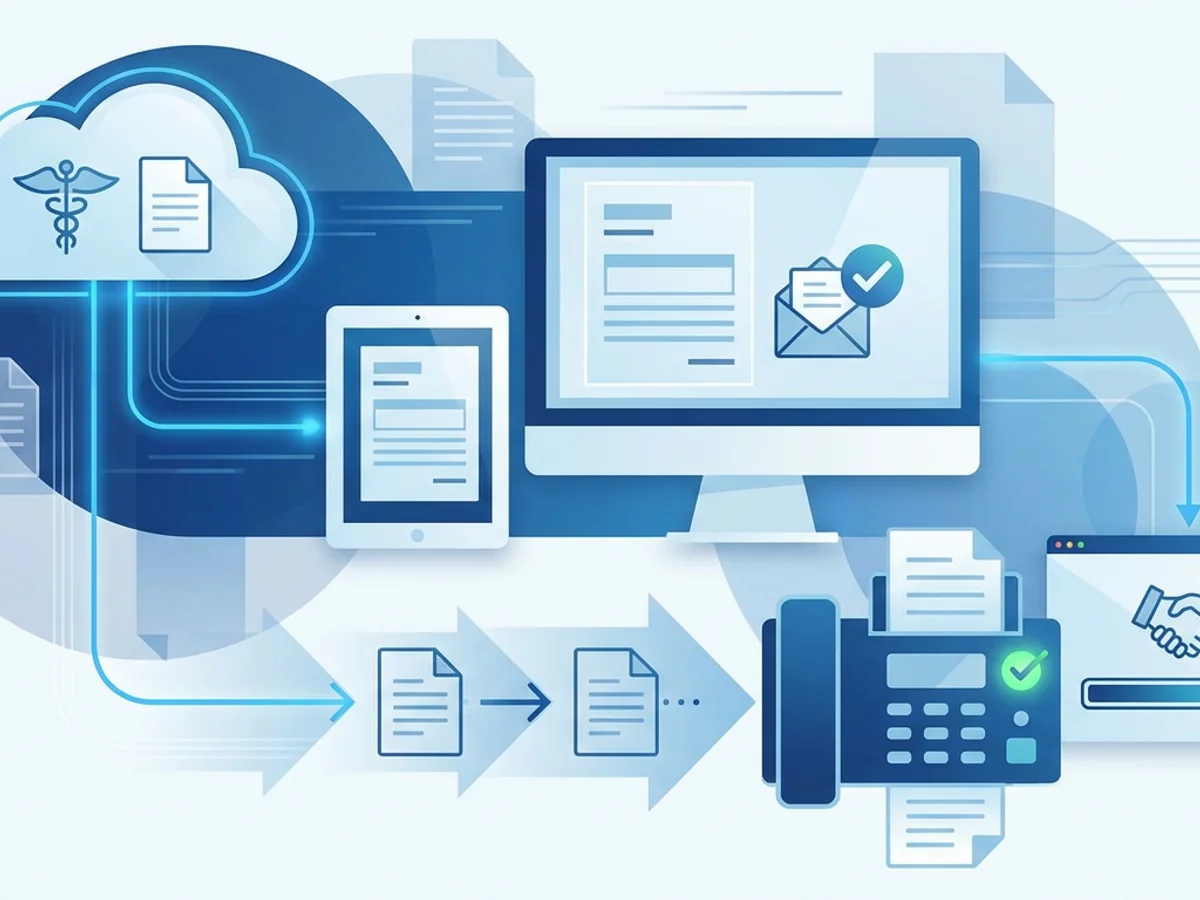
This is where browser-based faxing can be useful. With BestFax.com, staff can send and receive faxes from a web browser on a phone, tablet, or computer. That matters when authorization documents are already digital, such as PDFs from a referring office, Word documents, or image files. Instead of printing documents just to feed them into a fax machine, staff can upload supported files and send them online.
Use confirmations as part of the authorization record, not an afterthought
For radiology centers, “we faxed it” is often not enough. When a scan is delayed, staff need to know when the documents were sent, whether the transmission completed, and what was included. Fax confirmation and delivery receipts are important because they create a practical audit trail for internal follow-up.
Consider this real-world pattern:
- Monday morning: Authorization team faxes clinical notes to the payer.
- Monday afternoon: Payer says nothing has been received.
- Tuesday morning: Patient calls asking if the scan is approved.
- Tuesday afternoon: Referring provider asks why the exam has not been authorized.
Without a confirmation receipt, staff may have to resend everything and hope it reaches the right department. With a confirmation, they can say, “The packet was transmitted Monday at 10:42 a.m. to this fax number,” then decide whether to resend, call the payer, or escalate.
Delivery receipts do not guarantee the payer has reviewed or indexed the documents correctly. That is an important distinction. A completed fax transmission means the fax reached the receiving fax system, not that the authorization is approved or that the payer attached it to the correct case. Still, confirmation gives staff a starting point for follow-up and helps avoid repeated blind resubmissions.
A practical internal habit is to save the confirmation with the authorization record or scheduling notes. For example:
“Clinicals faxed to ABC Health prior auth dept at 888-555-0199 on 03/12 at 10:42 a.m.; delivery receipt received. Case #A123456.”
That short note can save several phone calls later.
Reduce scan delays with a same-day fax workflow
Radiology centers often have different urgency levels. A routine MRI may be scheduled a week out, while a STAT CT or next-day ultrasound may require immediate authorization handling. A same-day workflow helps staff decide what to fax, when to follow up, and how to prevent the patient from arriving before approval is secured.
Here is a practical workflow many imaging teams can adapt:
At scheduling:
Confirm payer, member ID, exam details, referring provider, and whether prior authorization is required. If it is required, open the case or assign it to the authorization team immediately.
Before requesting documents:
Check payer requirements for the specific modality and diagnosis. For advanced imaging, requirements may differ for CT, MRI, MRA, PET, nuclear medicine, and interventional radiology.
When documents arrive:
Review them before faxing. Do not assume a 20-page office note includes what the payer needs. Look for the actual medical necessity elements: symptoms, duration, failed treatment, abnormal findings, prior results, or red flags.
Before sending the fax:
Make sure the fax number matches the payer’s authorization documentation line, not the general customer service fax. Add the case number to the cover page. Use a concise subject line.
After sending:
Save the fax confirmation. Add a note to the scheduling or authorization record. Set a follow-up time based on urgency: same day for next-day scans, 24–48 hours for routine exams, or whatever timeline your payer contracts and internal policies require.
Before the appointment:
Check authorization status early enough to avoid a waiting-room surprise. If approval is still pending, call the payer with the fax confirmation details and ask whether the documentation has been attached to the case.
This workflow is not complicated, but consistency matters. Most delays come from small gaps: missing case numbers, vague cover pages, incorrect fax numbers, or no follow-up after transmission.
Be honest about compliance and security responsibilities
Healthcare faxing involves protected health information, so radiology centers need to think carefully about privacy, security, and internal policies. BestFax.com uses TLS encryption for fax transmissions, which helps protect data in transit. However, the service does not offer a Business Associate Agreement or formal healthcare compliance certification.
That distinction matters. Many radiology centers, hospitals, and physician groups require vendors that handle protected health information to sign a BAA. If your organization requires a BAA for fax services, you should not ignore that requirement. Check with your compliance officer, privacy officer, or legal team before using any online fax service for PHI.
If your policies permit this type of tool for appropriate use cases, staff should still follow basic safeguards:
- Verify the recipient fax number before sending.
- Use minimum necessary documentation rather than sending unrelated chart history.
- Include a clear cover page with intended recipient details.
- Avoid sending from shared or unsecured devices.
- Save confirmations according to your internal retention policy.
- Train staff on what can and cannot be faxed through each approved channel.
Security is not just about the fax service. It also depends on staff behavior, device access, document handling, and whether the organization has approved the workflow.
When browser-based faxing fits radiology authorization work
Browser-based faxing is most helpful when the bottleneck is access. A physical fax machine may be in a locked office, shared by multiple departments, or unavailable after hours. A scheduler working from a different location may have the prior authorization PDF but no easy way to send it. A technologist may receive a missing order update on a tablet and need to route it quickly to the authorization team.
With BestFax.com, users can send and receive faxes from Safari, Chrome, Firefox, or Edge without installing software. The service supports PDF, Word, and image file uploads, which covers many common authorization documents. Pricing is straightforward: $4.95 one-time per fax or a $10/month subscription. There is no free trial.
This tool is not a replacement for a full radiology information system, payer portal, or enterprise compliance program. It does not make authorization decisions, check medical necessity, or solve missing clinical documentation. What it can do is make it easier to transmit the right documents from a browser when fax is still the required path.
For smaller imaging centers, mobile teams, independent practices, or administrative staff who occasionally need to fax authorization packets, that can be enough to prevent unnecessary friction. For larger organizations, it may be useful only if it fits within approved compliance and vendor policies.
Practical tips that prevent fax-related authorization delays
A few small habits can make a major difference in prior authorization turnaround:
Create payer-specific cover page language.
If a payer uses case numbers, include “Pending authorization case documentation” in the subject line. If a payer separates departments by modality, identify “MRI clinical review” or “CT prior authorization” clearly.
Keep a current fax number list.
Old payer fax numbers are a common source of lost documentation. Assign someone to verify high-volume payer numbers regularly.
Name files clearly before uploading.
Instead of “scan.pdf” or “notes-final2.pdf,” use names like “Smith_Jane_DOB_01011970_MRI_Lspine_Clinicals.pdf.” Even if the recipient does not see the filename, clear naming helps your team avoid sending the wrong attachment.
Do not bury the key clinical point.
If the payer needs proof of conservative treatment, make sure the relevant note is included and easy to find. If the request is urgent because of a suspicious mass, mention that on the cover page and include the supporting report.
Follow up with evidence.
When calling the payer, reference the transmission date, time, fax number, and case number. This makes the conversation more productive than simply asking whether they received “the fax.”
Know when to reschedule early.
If authorization is unlikely before the appointment time, contact the patient before they arrive. A proactive call is better than a front-desk surprise.
Faxing will probably remain part of radiology prior authorization for a while, especially where payer systems, referring offices, and documentation requirements do not line up neatly. The centers that avoid delays are not necessarily the ones with the most complicated technology. They are the ones with clean packets, reliable transmission, saved confirmations, and disciplined follow-up.
Send your first fax at BestFax.com.

Related Posts
How Vision Clinics Fax Eyeglass Prescriptions to Labs Without Order Delays
Practical ways vision clinics can fax eyeglass prescriptions to labs with fewer missing pages, callbacks, and order delays.

How Adoption Agencies Fax Home Study Reports Without Court Filing Delays
Adoption agencies can avoid court filing delays by preparing clean home study fax packets, verifying recipients, and saving delivery receipts.
How Camps Can Fax Medication Administration Forms Without Slowing Check-In
Practical ways camps can fax medication forms early, track confirmations, and keep health check-in moving without paperwork surprises.