How Dental Offices Fax Oral Surgery Referrals With X-Rays and Medical Histories

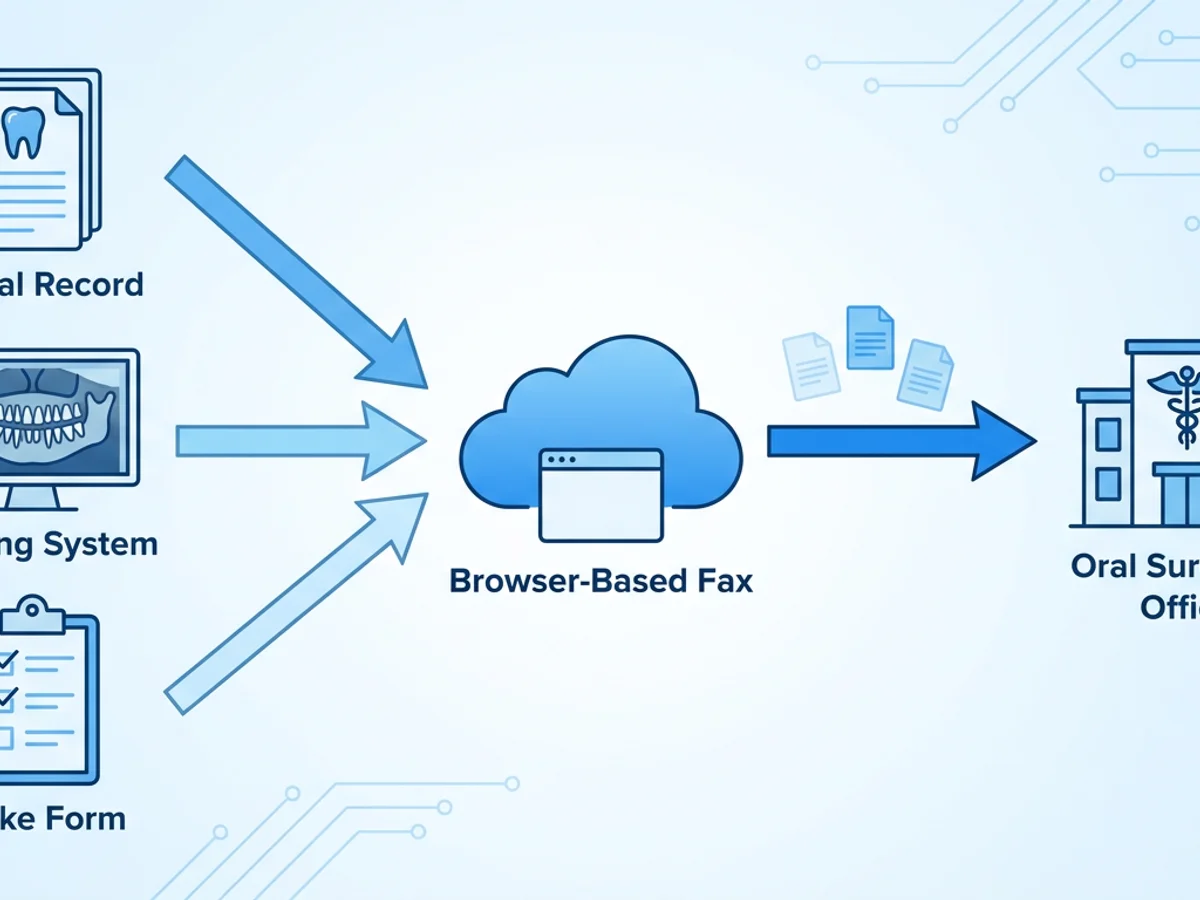
A patient needs a lower molar removed, and the oral surgeon’s office asks for the referral, a recent panoramic X-ray, and the patient’s medical history before scheduling. The information may be spread across the dental record, an imaging system, and a signed intake form. Sending it in a useful order—and confirming it reaches the right office—is as important as choosing how to fax it.
Browser-based faxing can help a dental office assemble and send those records without using a physical fax machine. The practical challenge is deciding what the surgeon needs, making images readable, and following the office’s own privacy and records procedures.
Start with the surgeon’s requirements
Before preparing the packet, confirm the receiving practice’s fax number and ask what it needs for the appointment. Requirements can vary by procedure and patient. A straightforward extraction referral may call for different information from a case involving sedation, a complex medical history, or a tooth close to a nerve.
Ask the surgeon’s office:
- Which documents and images are needed before scheduling?
- How recent should the X-rays be, and are there preferred views?
- Is fax acceptable for the images, or should diagnostic-quality files be sent another way?
- Does the office have a referral form or a preferred order for the pages?
- Should urgent findings also be communicated by phone?
Verify the number using a trusted source, such as a number already maintained in your practice’s records or confirmed directly with the receiving office. A number supplied in an old referral form may have changed.
For example, a referring dentist may identify an impacted third molar on a panoramic image. The surgeon may want the image and the dentist’s findings, but may also need additional imaging or an evaluation before deciding on treatment. A faxed copy can provide useful context; it should not be assumed to replace a diagnostic-quality image.
Send only the information needed for the referral, consistent with your practice’s policies and applicable requirements. Confirm that any patient permission or authorization your office requires is in place before sending records.
Assemble a referral packet the surgeon can use
A clear packet helps the receiving team match records to the patient and understand the reason for the referral. Check each item for accuracy and completeness before uploading it.
Referral and clinical details
The referral should identify the patient using the identifiers your practice and the recipient use for matching records. Include the referring dentist’s name, practice, and callback number; the receiving surgeon or practice; the referral date; and the reason for the referral.
Be specific about the tooth or site and the requested evaluation. For example, “Evaluate tooth #32 for extraction; intermittent pain reported, panoramic image attached” is more useful than “Please see patient.” Include relevant examination findings and treatment already provided when appropriate. Do not present a suspected condition as a confirmed diagnosis.
Medical history and medications
Provide the current, relevant history available to the referring office. Depending on the patient and the reason for referral, that may include allergies, current medications, important medical conditions, and information related to anesthesia or sedation. Note the source and date of the information when useful, especially if the patient supplied it some time ago.
Avoid filling gaps with assumptions. If the medication list has not been verified, say so on the referral or contact the patient according to your office’s process. The surgeon’s team can then decide what needs to be confirmed before treatment.
X-rays and supporting documents
Label images with the patient identifiers used by your practice, the date taken, and the view or site when that information is available. Confirm that the images correspond to the patient and the tooth or area named in the referral.
Faxed images can lose detail, contrast, or resolution. Before sending, inspect the exported or scanned file at a reasonable size: Can the receiving team distinguish the image, read its labels, and identify the relevant area? Avoid cropping out orientation markers or identifiers that the surgeon needs. If an image is too faint or detailed to survive fax transmission, ask the surgeon’s office for an accepted alternative rather than treating the fax as a substitute for the original.
Put the pages in a predictable order
A practical sequence is a cover page, referral, medical history and medication information, then X-rays and other supporting pages. Include the total page count on the cover page so the receiving office can spot a missing page. If your office sends separate transmissions, identify each part and its page count clearly.
A cover page should include the recipient’s name or department, the sending practice’s contact information, the date, and a brief description such as “Oral surgery referral and records.” Keep sensitive clinical details on the referral pages rather than adding more than necessary to the cover page. BestFax.com includes professional fax cover pages.
Send the documents and check the delivery receipt
Once the packet is ready, a staff member can send it from a phone, tablet, or computer using a web browser. BestFax.com works in Safari, Chrome, Firefox, and Edge without an app download, and supports PDF, Word, and image file uploads.
A careful sending workflow looks like this:
- Prepare the files. Export the referral and history in a supported format. Export or scan the X-rays as image files or PDFs, then check that each file opens and is readable.
- Review the packet. Confirm the patient’s identifiers across the referral, history, and images. Check dates, page order, and the total page count.
- Enter the verified fax number. Compare it with the number confirmed for the surgeon’s office before sending.
- Add the cover page and files. Identify the recipient and sender, and make the purpose of the transmission clear.
- Send and review the receipt. The service provides a fax confirmation or delivery receipt. Retain it according to your practice’s records policy.
A delivery receipt is useful evidence that the fax was delivered, but it does not establish that the intended clinician reviewed it or that every image is diagnostically usable. If the case is time-sensitive, or if the surgeon’s office needs to act before scheduling, call to confirm receipt and next steps.
If delivery fails, check the number and any error information provided before trying again. If the receiving office reports missing or illegible pages, confirm which pages are needed and resend them using a verified number. Document the follow-up under your practice’s usual procedures.
The service uses TLS encryption for fax transmissions. It does not offer a BAA or a healthcare-specific compliance certification, so a practice should assess whether the service is appropriate for its use and follow its own privacy, authorization, and records-handling requirements before sending patient information. Staff should also take ordinary precautions on shared devices, including checking recipient details and avoiding leaving patient records visible to others.
Plan for exceptions and costs
Some referrals need a conversation as well as a fax. If a dentist is concerned about swelling, rapidly worsening symptoms, or another urgent issue, contact the oral surgeon’s office directly rather than relying on a fax alone. Communicate the urgency and follow the receiving practice’s instructions; the fax can then provide the supporting records.
Similarly, an incomplete history should not disappear into the packet. If a patient cannot confirm a medication name or dosage, note that it is unverified and follow your office’s process for obtaining accurate information. Let the surgeon’s team know about a material gap that could affect scheduling or evaluation.
For occasional referrals, the service costs $4.95 as a one-time payment per fax. A subscription is $10 per month. Choose based on the office’s expected fax use, and consider the cost of any necessary resends when planning an occasional workflow.
A few final checks can prevent delays: verify the recipient, match every document to the patient, count the pages, inspect image readability, and save the delivery receipt. When a faxed X-ray is not sufficient for clinical review, coordinate another accepted way to provide the image.
Get started at BestFax.com.
Related Posts

How Ambulance Services Fax PCS Forms for Medicare Nonemergency Transport
Learn when Medicare nonemergency ambulance trips may require a PCS, how to fax a request, and what to check when the signed form returns.

How Home Health Agencies Fax Hospital Discharge Summaries to Primary Care Doctors
Learn how to verify, prepare, fax, and follow up on hospital discharge summaries sent from home health agencies to primary care practices.

How Teleradiology Groups Fax Wet Reads to ERs Without STAT Delays
Practical guidance for teleradiology teams that need to fax ER wet reads quickly, with clear routing, cover pages, receipts, and fewer STAT delays.