How Denture Labs Fax Case RX Forms to Dentists Without Delays or HIPAA Risks
If your denture lab still chases signatures and case RX forms over email or paper mail, you’ve felt the pain: delayed case starts, back-and-forth for missing impressions or shade notes, and the awkward question of whether you just sent PHI over an insecure channel. Dentists want confirmation. Your model room wants clarity. And your production clock wants a clean, timely RX.
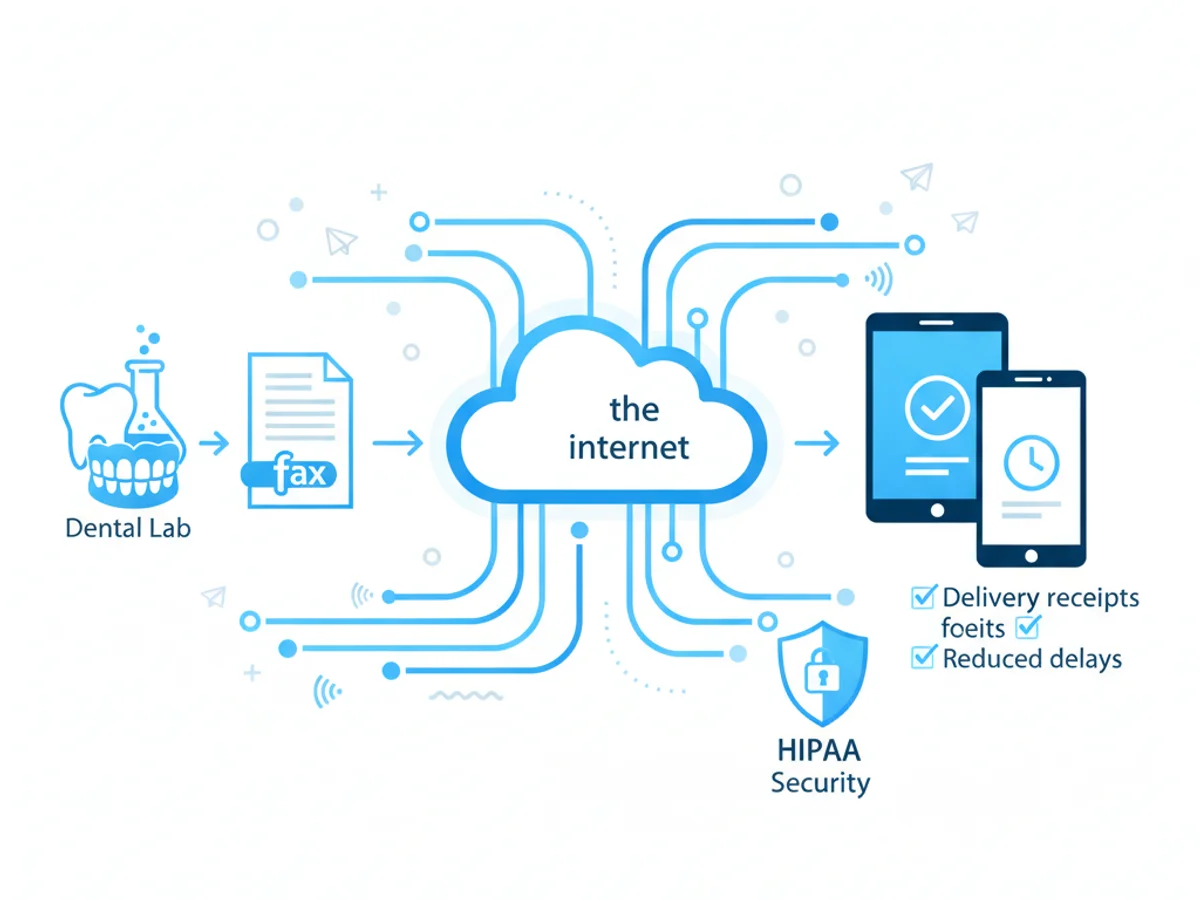
Faxing remains a practical bridge between offices because it meets clinics where they already are. But rolling a physical fax machine into your lab—or babysitting a multi-function printer—isn’t exactly streamlined. That’s where browser-based faxing comes in: you send and receive faxes from any web browser on your phone, tablet, or computer, without installing anything.
This post walks you through how denture labs can reliably transmit RX forms and attachments to dentists and receive signed approvals—fast—while managing HIPAA risk responsibly. It’s specific, step-by-step, and based on what actually works for labs.
The real bottleneck: missing info, late signatures, and uncertainty
A typical denture case stalls for three reasons:
- The RX is incomplete (no shade, no design notes, no due date).
- The dentist’s signature or initials are missing.
- You don’t know if the office received your request or if it got buried.
Email attachments disappear in crowded inboxes. Patient identifiers inside an email can raise compliance flags. And mailing paper RX forms adds days you can’t spare.
Faxing fixes the delivery problem with a familiar workflow: the dentist can receive your RX at an existing fax number, sign, and send back. The challenge is making that process quick on your side—no paper, no hardware, no IT tickets.
A practical setup for denture labs using browser-based faxing
You can send and receive faxes directly from Safari, Chrome, Firefox, or Edge. No app download required. Pricing is simple: send at $4.95 per fax when you have a one-off need, or use a $10/month subscription if you fax regularly. There’s no free trial. All transmissions are protected in transit with TLS encryption, and you’ll get delivery receipts so you know whether the dentist’s fax number answered.
Important compliance note: this tool does not offer a Business Associate Agreement (BAA) or formal HIPAA certification. That doesn’t automatically disqualify it, but it does mean you should evaluate how you use it and what patient identifiers you include. More on risk management below.
Suggested workflow for new cases
- Prepare the RX packet
- Export your lab’s RX form as a fillable PDF or print-to-PDF from your design software.
- Include a professional fax cover page (the service provides templates) that lists:
- Dentist name and practice
- Your lab name and contact
- Case nickname (avoid full patient name if possible; use initials or internal ID)
- A short checklist: shade, impression type, try-in or immediate, requested delivery date
- A line that says: “Please sign and fax back to [your fax number].”
- Attach supporting documents
- PDFs of scans, photos, or a simple Word doc with design notes are accepted. Image files (JPG/PNG) are fine, too. Keep attachments lean and relevant so they transmit quickly.
- Send from your browser
- Log in, upload the files, and enter the dentist’s fax number.
- Use the notes field on the cover to call out exactly what’s needed: “Sign page 2 and initial the occlusal scheme.”
- Hit send. You’ll receive a confirmation/delivery receipt when the fax is delivered or if it fails (e.g., busy signal, no answer). If it fails, retry or confirm the dentist’s number.
- Track and nudge
- If you don’t see a delivery confirmation within a reasonable window, call the practice. Many failures are just wrong digits or line issues.
- Once delivered, set a quick reminder (same day) to check for the return fax. If the office uses a physical fax, your confirmation helps them find your packet in the stack.
- Receive and route the signed RX
- When the signed fax arrives, download the PDF and attach it to your case record. Validate the initials, shade, and design instructions before starting production.
For remakes and quick clarifications
- Use a one-page form with just the delta: “Change to A2, duplicate occlusal scheme, confirm try-in date.”
- Faxing a short form reduces the chance of missed details and speeds the dentist’s response time.
Reducing HIPAA risk with fax—practical guardrails for labs
A candid point: this tool uses TLS to secure transmissions, but it does not provide a BAA or advertise HIPAA certification. Each lab must decide what’s appropriate for its risk posture and client contracts. Many labs successfully use fax while minimizing exposure by controlling identifiers and storage. Consider these steps in consultation with your compliance lead:
Minimize PHI in the faxed content
- Use patient initials or your internal case ID on the cover page. Omit DOB unless clinically essential.
- Place full identifiers, if required, within the RX form rather than the cover page, and only include what’s strictly needed for the dentist to authorize the case.
Use the cover page to segregate details
- The provided professional cover pages help you keep message routing data upfront and clinical specifics in the attached form.
Lock down access on your side
- Restrict user accounts to staff who manage prescriptions.
- Download returned faxes to your lab’s secure case system promptly and delete redundant copies from shared downloads folders.
Confirm the recipient fax number at account setup
- Many practices use a single all-purpose fax. Ask if there’s a clinical fax number or a secure line for RX documents.
Document your process
- Keep a written SOP: what identifiers you include, how you verify numbers, where you store confirmations, and how long you retain them.
Use delivery receipts as part of your audit trail
- Save the confirmation PDFs alongside the signed RX. This proves when and to whom you sent the packet, and whether it was delivered.
If your lab’s contracts or policies require a vendor that signs a BAA, you’ll need to choose a different solution. It’s better to be honest about that upfront than to take on risk you can’t justify.
Speed and clarity: getting clean RX forms back the same day
Fax can be as fast as email if you make it easy to respond. Here are tactics labs report working well:
Keep RXs scannable and short
- One page for the authorization/signature and one page for design notes covers most denture cases. If you must include more, call out the action on page 1.
Put the action above the fold
- “Sign here and initial section 3.” Large, unmissable arrows reduce back-and-forth.
Give a clear deadline
- “Please return by 3 PM to meet Friday delivery.” Practices triage faxes by urgency.
Provide your direct callback number
- If the dentist has a quick question—say, about immediate vs. definitive—one call can prevent a remake.
Send during the practice’s low-traffic windows
- Mid-morning or early afternoon often avoids busy signals and front-desk rush.
When in doubt, use a companion call
- A 30-second heads-up after you fax (“We just sent a two-page RX for Smith, initials only”) helps the staff retrieve it faster.
Step-by-step: sending an RX packet from your browser
The process is straightforward and works the same from phone, tablet, or computer:
- Open your browser and log in.
- Click Send Fax and upload your files (PDF, Word, or images). Order them: cover page first, RX second, photos last.
- Enter the dentist’s fax number. Double-check the area code.
- Customize the professional cover page fields with practice name, your case ID, and a short checklist.
- Send and wait for the delivery receipt. If you get a failure notice, verify the number or retry later.
- Note the delivery time in your case tracker. Set a reminder to expect the signed return.
- When the signed fax arrives, download the PDF, archive it with the case, and confirm all required fields are complete before starting production.
If you fax only a few times a month, paying $4.95 per fax keeps costs predictable. If your lab sends and receives multiple RX forms weekly, the $10/month subscription usually makes more sense.
Troubleshooting common snags (and simple fixes)
Repeated busy signals or no answer
- Offices sometimes route faxes to a shared line that’s heavily used. Call and ask for their clinical fax or an alternate line.
Images look washed out
- Export photos to PDF at 150–200 dpi. Fax is optimized for documents, so reducing image noise improves clarity.
Dentist says they didn’t get all pages
- Use the preview to confirm page order and count before sending. If the confirmation shows partial delivery, resend only the missing page(s) to save time.
Signed RX is missing initials on a critical section
- Highlight the required fields in your form template. If something’s missing, send a one-page “initials-only” follow-up with a bold arrow.
You need a verifiable record for a deadline dispute
- Pair the delivery receipt with your internal timestamp and the final signed RX. That bundle usually settles timing questions.
Why labs stick with fax for RXs (and how to make it painless)
Dentist offices already have fax numbers, staff know the routine, and signatures come back without wrestling with portals. With browser-based faxing, you remove the hardware headache: everything lives in your web browser, and you get confirmation receipts without standing at a machine. You can upload PDFs, Word docs, and images, use a clean cover page, and keep the process moving from anywhere—front desk, model room, or while you’re on a pickup route.
Again, be precise about risk: transmissions are TLS-encrypted, but there’s no BAA. If your lab requires one, pick a vendor that will sign. If not, apply the guardrails above to minimize PHI exposure and keep a tidy paper trail.
One final tip: turn your best-performing RX packet into a locked template. Keep the cover page wording, signature box placement, and callouts identical. Consistency reduces questions and speeds approvals week after week.
Send your first fax at BestFax.com
Related Posts
How Home Health Agencies Fax Physician Orders Without Violating HIPAA
A practical guide for home health teams to fax physician orders without violating HIPAA—what to send, how to verify, and how to document—using browser-based faxing wisely.

How Therapists Fax Letters for Emotional Support Animal Certifications
Discover how therapists efficiently fax Emotional Support Animal certifications using secure browser-based services to deliver urgent, sensitive documentation.

How Hospice Care Teams Use Online Fax for Medical Orders and End-of-Life Care
Hospice care teams use online faxing for fast, secure coordination of medical orders and equipment—critical for improving end-of-life care efficiency and comfort.