How Mobile Phlebotomists Fax Lab Requisitions Without Specimen Delays

A mobile phlebotomist’s day can go sideways over one missing requisition.
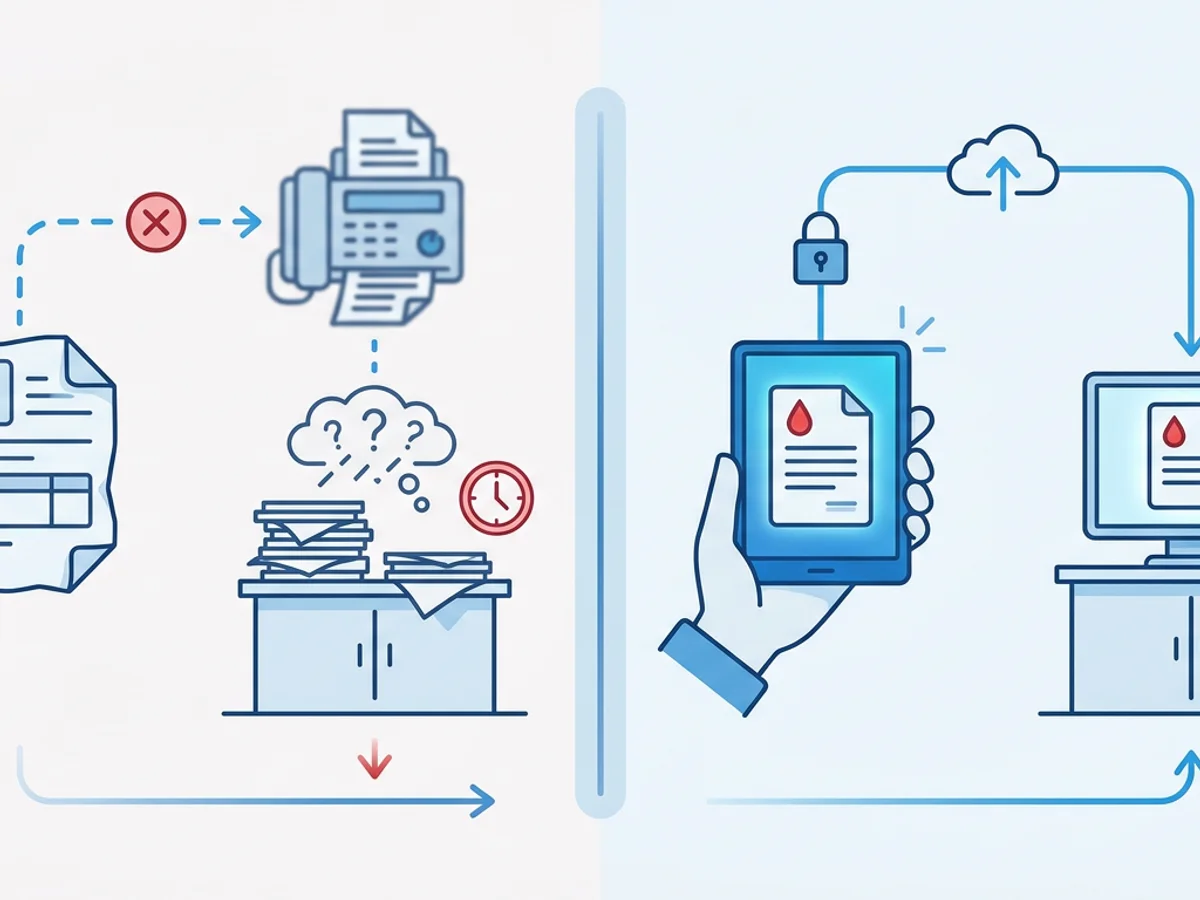
You draw the specimen, label it correctly, place it in the transport bag, and head toward the next patient. Then the lab calls: the requisition is unreadable, incomplete, missing, or never arrived. Now the sample may sit while someone tracks down the order, resends paperwork, or confirms patient details. If the specimen has time or temperature requirements, that paperwork delay can become a real operational problem fast.
For mobile phlebotomists, requisitions are not just “forms.” They are the link between the patient, ordering provider, specimen, tests requested, billing details, and receiving lab. When that link breaks, the specimen can be delayed, rejected, or held until the lab has what it needs.
Fax is still part of that workflow for many labs, clinics, home health agencies, and physician offices. The challenge is that mobile phlebotomists are not sitting next to an office fax machine. They are in patients’ homes, assisted living facilities, parking lots, courier routes, and exam rooms with spotty time windows and limited equipment.
Browser-based faxing can help close that gap—if it is used carefully, consistently, and with realistic expectations. Below are practical ways mobile phlebotomists can fax lab requisitions from the field without creating avoidable specimen delays.
The delay usually starts before the fax is sent
When a lab requisition fax causes a delay, the problem is often blamed on the fax itself. Sometimes that is fair: a wrong number, busy destination, failed transmission, or missing page can hold things up. But many delays begin earlier in the process.
Common field problems include:
- The requisition was photographed at an angle, making test codes hard to read.
- The patient’s name or date of birth is cut off in the image.
- The ordering provider’s signature or diagnosis code is missing.
- A multipage requisition is sent without the second page.
- The receiving lab fax number is outdated or belongs to a different department.
- The sample is dropped before anyone confirms the requisition was delivered.
Imagine a phlebotomist drawing labs at 7:15 a.m. for a fasting patient in a senior living community. The printed requisition is slightly wrinkled. The phlebotomist snaps a quick photo, uploads it, and faxes it while walking to the car. Twenty minutes later, the lab says the test panel cannot be read. The specimen is already in the courier bag, and the next stop is across town.
That delay was not caused by using online faxing. It was caused by a field workflow that did not include a quick quality check before transmission.
A better approach is to treat the requisition like a specimen label: verify it before moving on. Before faxing, pause long enough to confirm the image or document is complete, legible, and matched to the specimen you are sending.
A practical field workflow for faxing requisitions
Mobile phlebotomy work rewards routines. The fewer decisions you have to make at each stop, the lower the chance that paperwork will lag behind the specimen.
A simple workflow might look like this:
Confirm the order before the draw.
Check that the requisition matches the patient identifiers and the requested collection. If the order appears incomplete, contact the appropriate office before drawing when possible. Faxing an incomplete order faster will not solve the underlying issue.Capture or upload a clean document.
If you already have a PDF or Word file, use that instead of a photo when possible. If you are working from paper, place it on a flat surface, use good lighting, and make sure all four corners are visible. Avoid shadows from your hand or phone.Name or organize files in a way that prevents mix-ups.
Even a simple naming habit—such as patient initials, date, and destination lab—can help you avoid uploading the wrong requisition. Follow your organization’s policies for patient information and file handling.Use the correct destination fax number.
Many labs have multiple fax numbers: one for requisitions, one for add-on testing, one for billing, and another for provider communications. Save verified numbers in a secure internal reference, and be cautious about relying on old sticky notes or screenshots.Add a professional cover page when appropriate.
A cover page can help the receiving lab route the fax correctly. Include only what is necessary: destination department, sender contact, number of pages, and a concise note such as “Lab requisition for specimen collected today.”Send the fax before leaving the collection site, when feasible.
This gives you time to correct a failed transmission while you still have access to the patient, facility staff, or paperwork.Check the delivery receipt.
A sent fax and a delivered fax are not the same thing. Wait for confirmation when timing matters, and document it according to your employer’s process.
BestFax.com supports PDF, Word, and image file uploads, so a phlebotomist can send a requisition from a phone, tablet, or computer using a web browser. That flexibility is useful when the document source changes throughout the day: a downloaded PDF from a clinic portal in the morning, a scanned Word document from an office coordinator at noon, and a clear image of a signed paper order in the afternoon.
The key is not just being able to fax from the field. It is building a habit around sending the right document, to the right number, with confirmation before the specimen gets too far ahead of the paperwork.
Reducing failed or unreadable requisition faxes
A requisition fax does not need to be beautiful. It does need to be readable and complete.
If you are sending requisitions from a mobile device, small details matter. A lab employee reading your fax may be looking for test names, collection time, ICD codes, priority status, ordering provider details, or account numbers. If those are blurry, cropped, or hidden in a dark photo, the lab may have to stop processing and call for clarification.
Here are field-tested ways to improve fax quality:
Use PDFs whenever possible.
A provider office may email, upload, or otherwise provide a requisition as a PDF. If your workflow allows it, uploading that original PDF is usually cleaner than printing it and photographing it.
Photograph paper forms like evidence, not like a snapshot.
Place the requisition on a dark, flat background. Stand directly over it. Turn off filters. Avoid using a wide-angle mode that bends the edges. Check the image before uploading.
Send all pages together.
Some requisitions include insurance information, standing order details, test menus, or physician signatures on additional pages. If the lab expects two pages and receives one, the specimen may be held.
Watch page orientation.
A sideways requisition can still be readable, but it increases the chance of mistakes. Rotate the file before sending if needed.
Do not overpack the fax with unnecessary pages.
Sending unrelated notes or duplicate images can slow down review at the receiving end. Include what the lab needs and what your process requires.
Use a cover page to clarify routing.
Professional fax cover pages are included with BestFax.com. A simple cover page can prevent a requisition from landing in the wrong queue, especially when faxing a large hospital lab or centralized processing department.
Confirm the total page count.
If your cover page says three pages including cover, make sure three pages are actually attached. Page-count mismatches are a common reason receiving teams question whether they got the whole order.
There is also a timing issue. If you know a specimen is time-sensitive, do not wait until the end of the route to fax the requisition. A routine chemistry panel may tolerate ordinary processing windows, but certain collections are more sensitive to delays, special handling, or lab cutoff times. Your organization’s procedures and the lab’s specimen requirements should determine urgency.
Browser-based faxing helps most when it is used close to the collection event. The shorter the gap between draw, fax, and confirmation, the easier it is to fix problems before the specimen arrives.
What to do when the lab says the fax did not arrive
Even with a good workflow, fax issues happen. Destination lines can be busy. Numbers can change. A receiving fax system may route documents slowly. Someone at the lab may not see the fax immediately.
When a lab says it did not receive the requisition, avoid guessing. Work through a short checklist:
- Verify the fax number you used, digit by digit.
- Check the delivery receipt or confirmation status.
- Confirm the number of pages sent.
- Ask whether the lab has a separate fax number for that test type or location.
- Resend only after confirming the best destination number.
- Note the resend time and confirmation according to your process.
Fax confirmation matters because it gives you a record that the transmission was completed. BestFax.com provides confirmation/delivery receipts, which can help mobile phlebotomists and coordinators troubleshoot without relying on memory or screenshots alone.
A delivery receipt does not mean the lab has processed the requisition, matched it to the specimen, or approved the order. It means the fax transmission was delivered to the destination fax system. That distinction is important. If a specimen is urgent, confirmation should be paired with whatever follow-up your organization requires—such as calling the lab, notifying a dispatcher, or documenting the collection in your internal system.
Here is a realistic example:
A mobile phlebotomist collects a stat specimen at a patient’s home and faxes the requisition from a phone before leaving the driveway. The delivery receipt comes through, but the courier pickup is in 10 minutes. Because the order is time-sensitive, the phlebotomist also follows the company’s escalation process and contacts dispatch. Later, if the lab says paperwork was missing, the team can reference the fax confirmation time and resend quickly if needed.
That kind of workflow does not eliminate every delay, but it gives everyone better information.
Using online fax honestly in healthcare-adjacent workflows
Mobile phlebotomists often operate in healthcare environments with strict privacy and documentation requirements. Any tool used for lab requisitions should be evaluated within your organization’s policies, contracts, and compliance responsibilities.
BestFax.com uses TLS encryption for fax transmissions. The service lets users send and receive faxes from Safari, Chrome, Firefox, or Edge on a phone, tablet, or computer, with no app download required. It does not offer a BAA or healthcare-specific compliance certification. That means your organization should decide whether and how the service fits into its workflow before using it for sensitive documents.
That honesty matters. A convenient fax tool is not a substitute for internal policy, staff training, secure device practices, or clear rules about storing and deleting files. If you are an independent mobile phlebotomist, a contracted collector, or part of a larger lab services team, confirm what tools you are allowed to use before transmitting requisitions.
Practical safeguards may include:
- Using only approved devices and accounts.
- Avoiding public or shared computers for requisition documents.
- Keeping phone operating systems and browsers updated.
- Not saving requisition images longer than necessary.
- Locking the device when moving between patient locations.
- Following company policy for documentation and retention.
The goal is not to make faxing complicated. It is to prevent a convenience tool from creating a new risk.
Pricing is also straightforward: the service offers a $4.95 one-time per fax option or a $10/month subscription. For a phlebotomist who only occasionally needs to fax from the field, paying per fax may be enough. For a coordinator or mobile team that sends requisitions more often, the monthly option may be more predictable. There is no free trial, so it is worth choosing based on expected usage rather than assuming you can test without cost.
Small habits that keep specimens moving
The best way to avoid specimen delays is to make requisition faxing part of the collection workflow, not an afterthought.
Before you leave a site, ask yourself three questions:
- Is the requisition complete and matched to the specimen?
- Did I send it to the correct lab fax number?
- Do I have confirmation, or do I know the next step if confirmation fails?
Those questions take less than a minute, but they can prevent a specimen from sitting while the lab waits for paperwork.
Mobile phlebotomy depends on timing: patient availability, courier schedules, processing windows, and lab intake procedures. Faxing will continue to be part of that timing for many organizations. A browser-based fax tool can help when you are away from the office fax machine, but the real benefit comes from disciplined field habits: clear documents, verified numbers, sensible cover pages, and delivery receipts.
If your workflow allows browser-based faxing and you need to send a lab requisition from the field, send your first fax at BestFax.com.
Related Posts
How Title Companies Fax Payoff Statements Without Closing Delays
Payoff statements can stall closings when faxing is slow or disorganized. Learn practical steps title companies can use to send, confirm, and track payoff faxes.

How Immigration Attorneys Fax I-693 Medical Exam Packets Without RFE Delays
Practical guidance for immigration attorneys faxing I-693-related packets, RFE responses, and tracking documents while preserving clear records.
How Vascular Labs Can Fax ABI Reports to Referring Doctors Without Delays
Practical steps for vascular labs to fax ABI reports faster, reduce errors, and document delivery without relying on a single fax machine.