How Tax Preparers Fax IRS Form 2848 Without CAF Unit Rejections

A rejected IRS Form 2848 can derail a simple client matter fast. You fax the Power of Attorney to the CAF Unit, expect authorization to appear, and days later find out the submission was rejected because a line was incomplete, the taxpayer’s name didn’t match IRS records, the signature was stale, or the fax image was hard to read.
For tax preparers, the frustrating part is that many CAF rejections are avoidable. The IRS Centralized Authorization File (CAF) Unit is not simply checking whether a Form 2848 arrived. It reviews whether the authorization is complete, current, legible, properly signed, and directed to the right place.
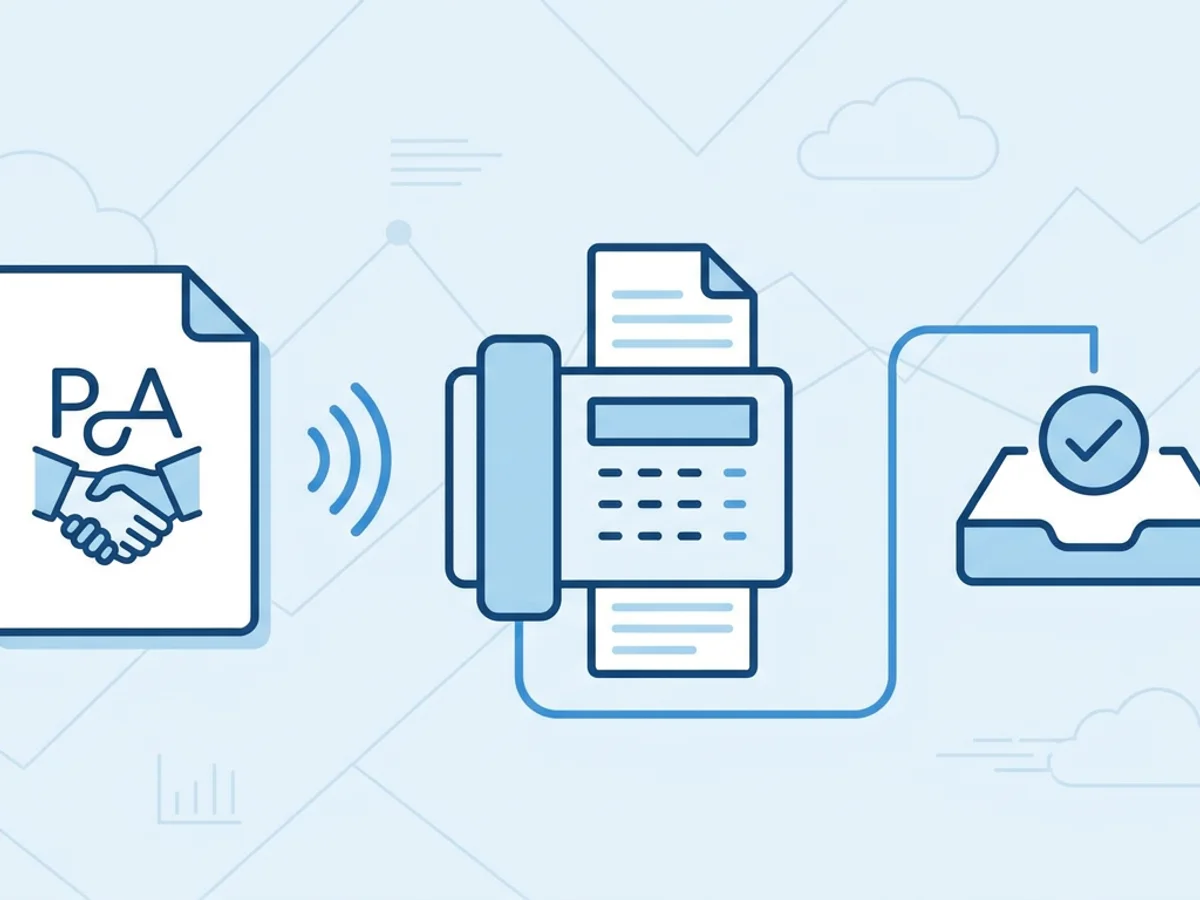
This guide focuses on the practical details that reduce rejections when faxing Form 2848: what to check before sending, how to make the fax readable, what to put on the cover page, and how to keep proof that the fax went through.
Understand What the CAF Unit Is Looking For
Form 2848 gives a representative authority to act on a taxpayer’s behalf before the IRS. Because it grants access to sensitive tax information and representation rights, the IRS is strict about the form’s details.
A CAF Unit rejection usually means one of two things:
- The fax was received, but the form could not be processed.
- The form was not usable as submitted because required information was missing, inconsistent, outdated, or illegible.
That distinction matters. A successful fax transmission does not guarantee the IRS will accept the authorization. The fax receipt only proves delivery to the destination fax line; it does not prove the CAF Unit approved the form.
Common rejection triggers include:
- Missing taxpayer identification number
- Name or address that does not align with IRS records
- Incomplete tax matters section
- Missing or invalid representative information
- Missing CAF number when one has already been assigned
- Incorrect designation for the representative
- Missing taxpayer signature or date
- Signature date that is too old under IRS rules
- Illegible scans, especially names, EINs, SSNs, tax periods, or signatures
- Form sent to the wrong CAF fax number
- Using an outdated version of Form 2848
For example, a preparer representing an S corporation on a payroll tax issue might fill in the business name and EIN correctly, but list “Income” instead of the correct employment tax form and periods. The fax may transmit perfectly, but the authorization can still be rejected because the tax matter is not specific enough.
The safest mindset is this: prepare the form as if a busy IRS employee will decide its fate from a black-and-white copy viewed under less-than-perfect conditions.
Complete Form 2848 With Fax Processing in Mind
Before you think about sending the fax, slow down and review the form line by line. Most rejections begin before the fax is ever sent.
Use the current IRS form and instructions
Always download Form 2848 and its instructions directly from IRS.gov when preparing a new authorization. Do not reuse an old file from last season unless you have confirmed it is still current. IRS forms and instructions can change, and using an outdated version may create processing problems.
Match taxpayer information carefully
For individuals, use the taxpayer’s full legal name and taxpayer identification number as reflected on IRS records. For joint matters, make sure the spouse’s information is included when required, and remember that each taxpayer generally must sign for their own authorization.
For businesses, use the legal business name, EIN, and address consistently. Trade names, abbreviations, or outdated addresses can create confusion. If the IRS has a different address on file, that does not automatically mean rejection, but inconsistencies make processing harder.
A common real-world mistake: a client sends the preparer a recent utility bill with a new address, and the preparer uses that address on Form 2848 even though the IRS still has the prior address. If the taxpayer recently moved, make sure the appropriate IRS address update steps have been handled separately.
Be specific about tax matters and periods
The tax matters section is one of the most important parts of Form 2848. The IRS needs to know exactly what the representative is authorized to handle.
Avoid vague descriptions when the form asks for specific tax forms and periods. For example:
- Better: “Form 1040, Individual Income Tax, 2021, 2022”
- Riskier: “All income tax years”
- Better: “Form 941, Employment Tax, Q1 2023, Q2 2023, Q3 2023”
- Riskier: “Payroll taxes”
If the authorization involves a notice, audit, collection matter, penalty issue, or specific form type, make sure the tax form number and year or period are consistent with the matter at hand.
Check representative details
Each representative should have complete information, including name, address, phone number, and CAF number if one has been assigned. If a representative does not yet have a CAF number, follow the IRS instructions for how to complete that field.
Also verify the representative designation. An enrolled agent, CPA, attorney, unenrolled return preparer, officer, family member, or other representative category may have different authority depending on the matter. The designation should reflect the actual basis for representation.
Watch signatures and dates
The taxpayer’s signature and date are critical. The IRS generally requires a timely signature, and stale dates can lead to rejection. Do not let signed forms sit in a client portal, email inbox, or paper folder for weeks before faxing.
If you are collecting signatures electronically or physically, confirm that the method and timing satisfy current IRS requirements. When in doubt, check the latest IRS instructions rather than relying on office habit.
A useful office rule: do not fax Form 2848 until someone has checked that every required signature is present, every signature has a date, and the date is recent enough for IRS processing.
Make the Fax Legible Before It Leaves Your Office
Many preparers focus on completing Form 2848 correctly but underestimate image quality. Faxing still relies on a document that may be converted, compressed, printed, viewed, or routed after transmission. A form that looks “okay” on your screen may become difficult to read after fax processing.
Good fax quality starts with the source file.
Scan cleanly, not casually
If the signed form is on paper, scan it on a flat surface with good contrast. Avoid phone photos taken at an angle, images with shadows, or scans that cut off page edges. The CAF Unit must be able to read every line, not just the signature page.
Best practices:
- Scan in black and white or grayscale with strong contrast
- Keep pages straight and full size
- Make sure no margins are cut off
- Avoid light blue ink if it scans poorly
- Use dark ink for handwritten entries and signatures
- Confirm that SSNs, EINs, CAF numbers, and dates are readable
If your client sends a photo of a signed page taken on a kitchen counter, resist the urge to fax it immediately. Ask for a proper scan or a clearer image. One extra email can save several days of CAF delay.
Combine pages in the right order
Form 2848 submissions may include multiple pages, continuation information, or supporting materials depending on the matter. Put the pages in logical order:
- Cover page
- Form 2848 page 1
- Form 2848 page 2
- Any continuation pages or required attachments
Do not bury the signed page behind unrelated documents. Do not include unnecessary client records “just in case.” Extra pages can slow review and increase the chance of confusion.
Browser-based faxing can help here because you can upload common file types such as PDF, Word documents, and image files from a computer, tablet, or phone. With BestFax.com, tax preparers can send and receive faxes from Safari, Chrome, Firefox, or Edge without installing a separate app. That is useful when you are working from a client’s office, home, or a temporary tax-season setup and need to send a clean file quickly.
Preview the final fax package
Before sending, open the exact file you plan to fax. Do not assume the exported PDF looks the same as your tax software print preview. Check:
- Are all pages included?
- Are pages rotated correctly?
- Is the taxpayer signature visible?
- Are tax periods readable?
- Is the representative information complete?
- Is the file the final signed version, not a draft?
A surprising number of CAF problems come from faxing the wrong file: an unsigned draft, a version missing page 2, or a scan where the bottom of the signature line was cut off.
Use the Right Fax Number, Cover Page, and Confirmation Process
The IRS provides specific fax numbers for CAF submissions, and they can vary based on the taxpayer, location, form, or IRS instructions in effect. Always verify the correct CAF fax number using current IRS guidance before sending. Do not rely on a sticky note near the copier from three years ago.
Put enough information on the cover page
A professional fax cover page does not replace Form 2848, but it helps route and identify the submission. Keep it brief and factual.
A practical Form 2848 cover page might include:
- Recipient: IRS CAF Unit
- Subject: Form 2848 Power of Attorney Submission
- Taxpayer name
- Last four digits of taxpayer ID, if appropriate for your office policy
- Representative name and phone number
- Number of pages, including cover page
- Short note such as: “Please process attached Form 2848 for the tax matters listed on the form.”
Avoid putting full SSNs or unnecessary sensitive details on the cover page unless required. The form itself will contain taxpayer information; the cover page should help identify the fax without adding avoidable exposure.
The service includes professional fax cover pages, which can make this step simpler and more consistent across staff members. Consistency matters in a tax office: the fewer improvised cover sheets floating around, the less likely someone forgets the page count or sends a vague subject line.
Keep the fax focused
If you are sending Form 2848, send Form 2848 and directly relevant attachments only. If the client also has a notice response, penalty abatement request, or amended return, consider whether that belongs in the same fax or should be sent according to separate IRS instructions.
Bundling unrelated documents can backfire. A CAF employee processing authorization is not necessarily the same person or department that should receive a substantive notice response. Mixing issues may create delay rather than efficiency.
Save the delivery receipt immediately
After faxing, save the confirmation or delivery receipt with the client’s file. BestFax.com provides fax confirmation/delivery receipts, which are useful for documenting when and where the authorization was sent.
Your internal record should show:
- Date and time sent
- Destination fax number
- Number of pages
- Transmission result
- Copy of the submitted Form 2848
- Staff member who sent it, if applicable
Again, a successful delivery receipt is not CAF approval. But it is important evidence that your office transmitted the document. If you later need to follow up with the IRS, you can refer to the fax date and confirmation details instead of guessing.
A practical naming convention helps during tax season. For example:
2026-02-14_ClientName_Form2848_CAF_FaxConfirmation.pdf
Small habits like this prevent wasted time when a partner, manager, or seasonal preparer needs to verify what happened.
Build a Pre-Fax Checklist for Your Tax Office
If your office sends more than a handful of 2848s each month, create a short checklist. It does not need to be complicated. The goal is to catch preventable mistakes before the CAF Unit does.
Here is a workable checklist your team can adapt:
Taxpayer information
- Correct legal name entered
- SSN, ITIN, or EIN entered correctly
- Address reviewed for consistency
- Spouse included and signed if needed
- Business name and entity information verified, if applicable
Representative information
- Representative name and contact information complete
- CAF number included if assigned
- Designation checked
- Multiple representatives listed correctly, if applicable
Tax matters
- Tax form numbers listed
- Tax years or periods listed specifically
- Description matches the client issue
- No vague “all years” language unless permitted and appropriate under IRS instructions
Signatures
- Taxpayer signed
- Spouse signed separately if required
- Business officer, partner, fiduciary, or authorized person signed in the correct capacity
- Representative signed if required by the form section
- All dates present and current enough for IRS processing
Fax package
- Current IRS form version used
- Pages in correct order
- Attachments included only if relevant
- Scan is legible
- Cover page includes recipient, subject, page count, and contact information
- Correct CAF fax number verified from current IRS guidance
- Delivery receipt saved to the client file
This checklist is especially helpful when responsibilities are split. For instance, a senior preparer may complete the form, an admin may collect signatures, and a seasonal staff member may send the fax. Without a checklist, everyone assumes someone else verified the details.
A quick example: avoiding a preventable rejection
Imagine a CPA firm preparing to represent a client on a 2022 individual income tax examination. The client signs Form 2848 on Monday. On Tuesday, the admin scans it, but the scan is slightly crooked and the tax year looks like “2027” instead of “2022.” The admin faxes it anyway.
A week later, the firm learns the CAF authorization was not processed. Now the CPA cannot easily discuss the case with the IRS, the client is frustrated, and the firm has to redo the authorization.
A two-minute review would have caught the issue:
- Open the scan
- Zoom in on the tax year and signature date
- Confirm the page count
- Fax the clean version
- Save the receipt
That is the real value of a process. It protects the client relationship and keeps representation work moving.
Where Browser-Based Faxing Fits Into a Better 2848 Workflow
Tax offices often still need fax because the IRS continues to use fax for many authorization and correspondence workflows. But that does not mean your process has to depend on a physical fax machine, a shared phone line, or staff being in the office.
With browser-based faxing, a preparer can upload a signed PDF from a laptop, tablet, or phone and send it through a web browser. BestFax.com supports PDF, Word, and image file uploads, and works in common browsers including Safari, Chrome, Firefox, and Edge. Pricing is straightforward: $4.95 one-time per fax or a $10/month subscription. There is no free trial, so occasional users should simply compare the one-time fax cost with their expected volume.
Security also matters when transmitting taxpayer documents. The service uses TLS encryption for fax transmissions. Be clear internally, however, about your own compliance obligations, document retention rules, and client data policies. An online fax tool is only one part of a secure tax practice workflow.
The biggest operational benefit is not magic automation. It is control. You can send the final PDF, use a professional cover page, and keep the confirmation receipt with the client file without standing at a fax machine or wondering whether the confirmation page got recycled.
Final Thoughts: CAF Acceptance Starts Before the Fax
Avoiding CAF Unit rejections is mostly about discipline. Use the current form. Complete the taxpayer, representative, tax matter, and signature sections carefully. Send a clean, readable file to the correct fax number. Save the delivery receipt, but remember that delivery is not the same as IRS acceptance.
For tax preparers, the best Form 2848 fax process is boring in the right way: consistent, documented, and easy for staff to follow during the busiest weeks of the year.
Send your first fax at BestFax.com.
Related Posts
How Pharmacies Can Fax Controlled Substance Transfer Forms Without Fill Delays
Practical fax workflow tips for pharmacies sending controlled substance transfer forms, from clean documents to delivery receipts.

How ENT Clinics Fax Allergy Serum Orders Without Mixing Delays
Practical steps ENT clinics can use to fax allergy serum orders clearly, confirm delivery, and reduce lab mixing delays.

How Mobile X-Ray Providers Can Fax STAT Reports to Nursing Homes Without Delays
Practical ways mobile X-ray providers can fax STAT reports to nursing homes faster, with fewer routing delays and clearer delivery tracking.