How Podiatry Clinics Fax Diabetic Shoe Forms Without Medicare Delays
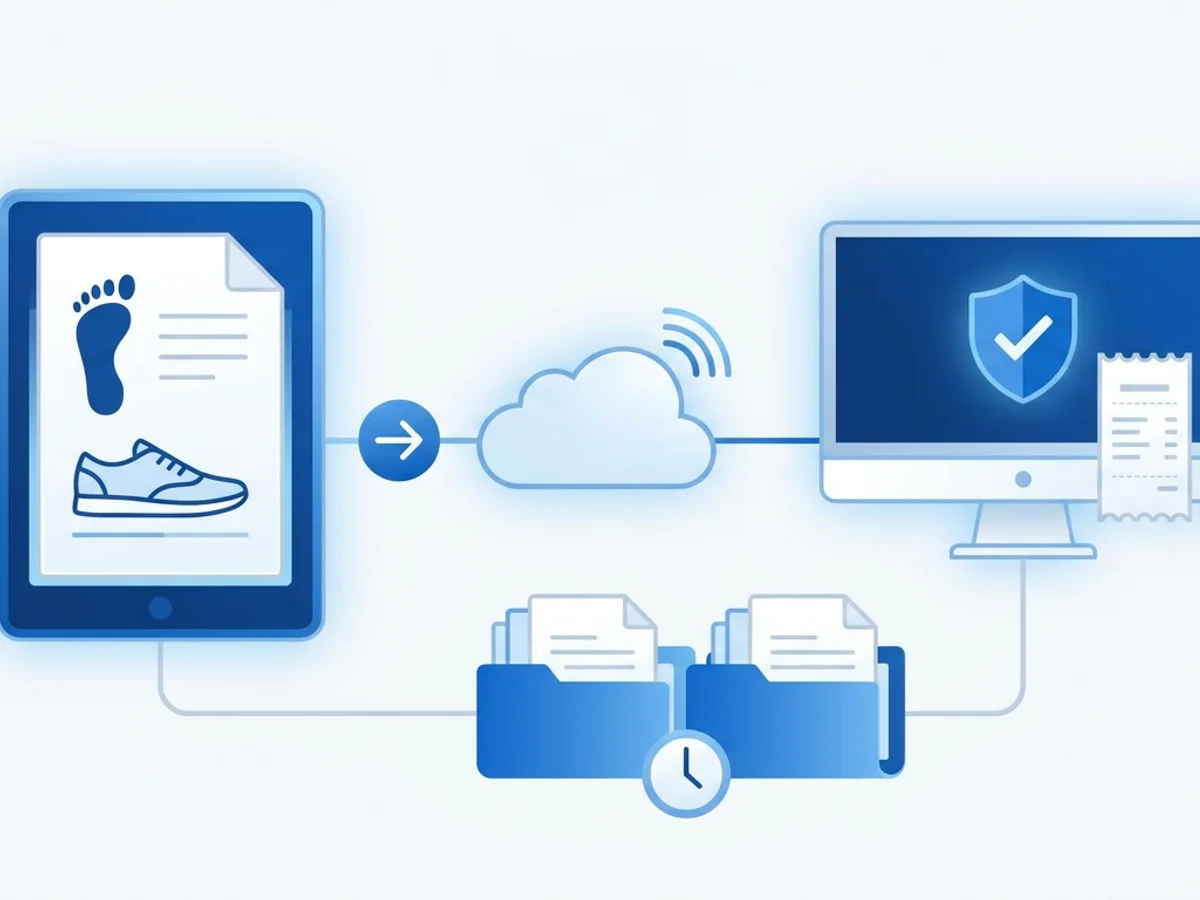
A diabetic shoe order can be clinically straightforward and still get stuck for days because one page is missing, a signature is dated incorrectly, or the physician’s office says they never received the packet. For podiatry clinics, that delay is not just administrative friction. It can mean a patient with neuropathy waits longer for protective footwear, your staff spends extra time chasing paperwork, and the claim is at risk before the shoes are ever dispensed.
Fax is still part of that process for many clinics, certifying physicians, suppliers, and documentation teams. The key is not simply “send the fax.” It is sending the right diabetic shoe forms, in the right order, with enough tracking to prove what was sent and when.
This guide walks through a practical workflow podiatry offices can use to fax diabetic shoe documentation more reliably, reduce back-and-forth with physician offices, and avoid preventable Medicare-related delays.
Why diabetic shoe paperwork gets delayed even when care is appropriate
Most delays happen because the documentation chain has more steps than people expect. A typical diabetic shoe case may involve the podiatry clinic, the patient’s primary care or diabetes-treating physician, a supplier, and sometimes a billing or DME documentation team. Each party may need a different piece of the file before the order can move forward.
Common examples include:
- A statement of certifying physician or similar form is faxed without the most recent office note.
- The physician signs the form but does not date it.
- The form is dated before the in-person diabetes management visit.
- The podiatry note describes foot deformity, callus, neuropathy, or prior ulceration, but the certifying physician’s documentation does not support the therapeutic shoe requirement.
- The clinic sends a packet to the main fax number, but the physician office expects DME forms at a different number.
- A fax goes through, but no one saves the confirmation, so staff cannot verify when it was transmitted.
None of these issues are unusual. They happen in busy clinics because diabetic shoe documentation sits at the intersection of patient care, Medicare rules, physician coordination, and supplier requirements.
The fax process should be designed around that reality. A clean workflow helps your staff answer four questions quickly:
- What exactly did we send?
- Who did we send it to?
- When was it sent?
- Did it transmit successfully?
When those answers are available, follow-up calls become shorter and more productive. Instead of saying, “We faxed something last week,” your staff can say, “We faxed the diabetic shoe certification packet to your DME fax line on Tuesday at 10:14 a.m.; we have a delivery receipt. Can you confirm it is in Dr. Allen’s folder for signature?”
That level of specificity can make a real difference.
Build the fax packet before you press send
The most effective way to prevent delays is to treat the fax as a complete packet, not a loose collection of pages. Before anything is transmitted, staff should confirm that the packet contains the documents the receiving office needs and that the pages are organized in a way that makes action obvious.
For many podiatry clinics, a diabetic shoe fax packet might include:
- A professional cover page with the receiving office name, attention line, patient name, date of birth, and a short action request.
- The diabetic shoe order or certification form that needs review or signature.
- Relevant podiatry documentation supporting the foot condition.
- Any supplier-specific form, if applicable.
- Clear contact information for the staff member handling the case.
- A requested return method, such as “Please fax completed forms back to [clinic fax number].”
The cover page matters more than many offices realize. Physician offices receive large volumes of faxes, and a vague cover sheet can easily be routed incorrectly. Instead of “Please sign,” use a specific instruction such as:
Please review, sign, and date the attached diabetic shoe certification form. Patient was evaluated in our office on 03/12/2026. Please return by fax to our office when complete. Call Maria at extension 204 with questions.
That short note tells the recipient what the fax is, what to do next, and who can resolve problems. It also reduces the chance that the packet is scanned into the chart without action.
Browser-based faxing can make packet assembly easier because staff can upload commonly used file types directly from the device they are working on. BestFax.com supports PDF, Word, and image file uploads, so a clinic can send a scanned form, a Word-based cover letter, or an image of a signed document from a web browser on a computer, tablet, or phone. It works in Safari, Chrome, Firefox, and Edge, with no app required.
That flexibility is useful in real clinic scenarios. For example, a podiatry assistant may scan the patient’s signed paperwork as a PDF at the front desk, while the billing coordinator has the physician form saved as a Word document. Instead of printing everything, manually stacking the pages, and waiting for a shared fax machine, the coordinator can prepare the digital packet and send it from the browser.
Still, convenience does not replace judgment. Before faxing, staff should review the final upload list and confirm that the pages are in the intended order. If the receiving physician’s office needs the signature page first, put it right after the cover page. If the support note is long, consider referencing the exact page that contains the relevant finding.
A good fax packet should make the next step easy for someone who is already busy.
Use a tracking routine, not just a fax number
Sending the packet is only half of the job. The other half is proving that it was sent and building a follow-up trail that prevents the case from disappearing.
A practical diabetic shoe fax log can be simple. Many clinics use a spreadsheet, a task in the practice management system, or a note in the patient’s chart. The important thing is that the same information is captured every time.
Consider tracking:
- Patient name and date of birth.
- Date the packet was faxed.
- Receiving office or supplier.
- Fax number used.
- Number of pages sent.
- Staff initials.
- Confirmation or delivery receipt status.
- Follow-up date.
- Outcome, such as “signed form returned,” “left message,” or “resent to alternate fax.”
Fax confirmation is especially important. BestFax.com provides fax confirmation and delivery receipts, which can help staff document that a transmission was completed. A receipt does not prove the receiving office acted on the fax, and it does not guarantee the content was reviewed. But it does give your clinic a concrete reference point for follow-up.
For example, say your clinic sends a diabetic shoe packet to a primary care office on Monday morning. On Thursday, the patient calls asking whether the shoes have been approved. Without a receipt, staff may have to start from scratch: check the chart, ask who sent it, search the fax machine history, and call the physician office with limited detail.
With a saved receipt and a basic log entry, the response is more organized:
- “The packet was faxed Monday at 9:42 a.m.”
- “It was five pages.”
- “It went to the fax number your physician office confirmed.”
- “We are calling them today for status.”
That kind of documentation also helps if the receiving office says the fax did not arrive. Staff can verify the number, resend the packet, and note the second attempt rather than debating what happened.
A simple follow-up schedule can keep cases moving:
- Same day: Confirm the fax number before sending, especially if the physician office has multiple departments.
- Within 24–48 hours: Call or message to confirm the packet was routed for signature.
- After 3–5 business days: Resend if necessary, noting the prior transmission and receipt.
- Before dispensing: Confirm all required forms and documentation are complete in the chart.
The goal is not to overwhelm staff with more paperwork. It is to create a repeatable trail so diabetic shoe orders do not depend on memory.
Avoid the small fax mistakes that create Medicare headaches
Many diabetic shoe delays begin with small administrative mistakes. They are easy to miss in the moment, but they can create expensive rework later.
One common issue is faxing an incomplete form for signature. If your clinic sends a certification form with blank patient identifiers, missing diagnosis information, or no instruction on what the physician must complete, the receiving office may return it unfinished or set it aside. Staff should prefill allowable demographic and administrative fields when appropriate, while leaving clinical attestations and physician-only sections for the physician to complete.
Another problem is sending forms to outdated fax numbers. Large primary care groups may centralize forms processing or route DME requests through a separate queue. A number saved in the chart from two years ago may still ring, but it may not reach the right team. Before sending diabetic shoe paperwork, staff should confirm the correct fax number with the receiving office, especially for new patients or physician groups with multiple locations.
Page quality also matters. Dark scans, cut-off signatures, sideways pages, and low-resolution images can cause avoidable rejection or re-faxing. If a page is hard for your staff to read, it will probably be hard for the recipient too. Since browser-based faxing supports image and PDF uploads, staff should check that each file is legible before sending.
The cover page should be professional and specific. BestFax.com includes professional fax cover pages, which can help standardize how your clinic identifies the request. A consistent format is particularly helpful when multiple staff members handle diabetic shoe paperwork. The cover page should not include unnecessary detail; it should identify the patient, the purpose, the requested action, and the return instructions.
It is also wise to avoid mixing unrelated requests in the same fax packet. If you are sending diabetic shoe certification paperwork, do not bury it behind records requests, referral forms, or unrelated lab reports. Separate fax packets are easier for receiving offices to route and easier for your clinic to track.
Security should be considered as well. The service uses TLS encryption for fax transmissions. However, it does not offer a Business Associate Agreement or healthcare-specific compliance certification, so clinics should evaluate their own regulatory, payer, and organizational requirements before using any online fax tool for patient information. If your practice has internal compliance policies, involve the appropriate decision-maker before changing fax workflows.
Honest evaluation matters. A browser fax tool can improve convenience and tracking, but it does not decide whether documentation satisfies Medicare requirements, does not correct incomplete clinical records, and does not replace the need for careful staff review.
A practical workflow your podiatry team can use this week
A reliable diabetic shoe fax workflow does not need to be complicated. It should fit into the way your clinic already works, while removing the uncertainty that causes repeated calls and lost time.
Here is a realistic example.
A patient with diabetes, peripheral neuropathy, and a history of callus formation is seen at your podiatry clinic. The provider documents the foot findings and determines that therapeutic shoes may be appropriate. Your staff needs the certifying physician to complete and return the required paperwork before the order can proceed.
A clean process might look like this:
Step 1: Verify the recipient. Staff confirms the patient’s treating physician and calls the office to ask for the correct fax number for diabetic shoe or DME paperwork. The number is recorded in the chart or tracking log.
Step 2: Assemble the packet. The coordinator prepares the cover page, certification form, podiatry note, and any supplier form. Each page is checked for legibility, correct patient identifiers, and page order.
Step 3: Send from the browser. Using a computer at the front desk or a tablet in the administrative area, the coordinator uploads the PDF, Word, or image files and sends the fax. Because the service is browser-based, staff can work from Safari, Chrome, Firefox, or Edge on the device already in use.
Step 4: Save the receipt. Once the fax confirmation or delivery receipt is available, staff saves it according to clinic policy and updates the tracking log with the date, time, number, page count, and recipient.
Step 5: Follow up intentionally. If the form is not returned within the clinic’s expected timeframe, staff calls the physician office with the exact transmission details. If needed, the packet is resent with a note such as, “Second request; original fax sent 04/08/2026 at 2:16 p.m.”
Step 6: Review before moving forward. When the signed paperwork comes back, staff checks for signature, date, patient identifiers, and completeness before proceeding. Any discrepancy is addressed immediately rather than discovered during billing review.
This workflow is not flashy, but it is dependable. It gives your team a standard way to handle a process that otherwise becomes fragmented.
Pricing is also straightforward for clinics that only need occasional faxing or want predictable monthly access. BestFax.com is available at $4.95 one-time per fax or $10/month for a subscription. There is no free trial, so practices should choose the option that matches their expected volume.
For a clinic that sends only a few diabetic shoe packets each month, paying per fax may be enough. For an office that regularly coordinates with multiple certifying physicians and suppliers, the monthly subscription may be easier to budget. The right choice depends on volume, staff habits, and how your office manages incoming and outgoing documentation.
The larger point is this: Medicare delays are often paperwork delays. Your clinic cannot control how quickly another office signs a form, but you can control how clearly the request is sent, how quickly you can prove it was transmitted, and how consistently your staff follows up.
Browser-based faxing is useful when it supports that discipline. It gives podiatry teams a way to send organized packets from the devices they already use, include a clear cover page, upload common document formats, and keep confirmation records for follow-up.
A smoother fax process will not solve every diabetic shoe documentation issue, but it can remove many of the avoidable ones: missing pages, uncertain transmission status, poor routing, and vague follow-up. For patients waiting on protective footwear, those details matter.
Send your first fax at BestFax.com.
Related Posts

How Mobile Phlebotomists Fax Lab Requisitions Without Specimen Delays
Practical field tips for mobile phlebotomists to fax lab requisitions clearly, confirm delivery, and avoid paperwork-related specimen delays.

How Title Companies Fax Payoff Statements Without Closing Delays
Payoff statements can stall closings when faxing is slow or disorganized. Learn practical steps title companies can use to send, confirm, and track payoff faxes.

How Immigration Attorneys Fax I-693 Medical Exam Packets Without RFE Delays
Practical guidance for immigration attorneys faxing I-693-related packets, RFE responses, and tracking documents while preserving clear records.