How Rural Clinics Can Fax Referral Packets to Specialists Without Care Delays
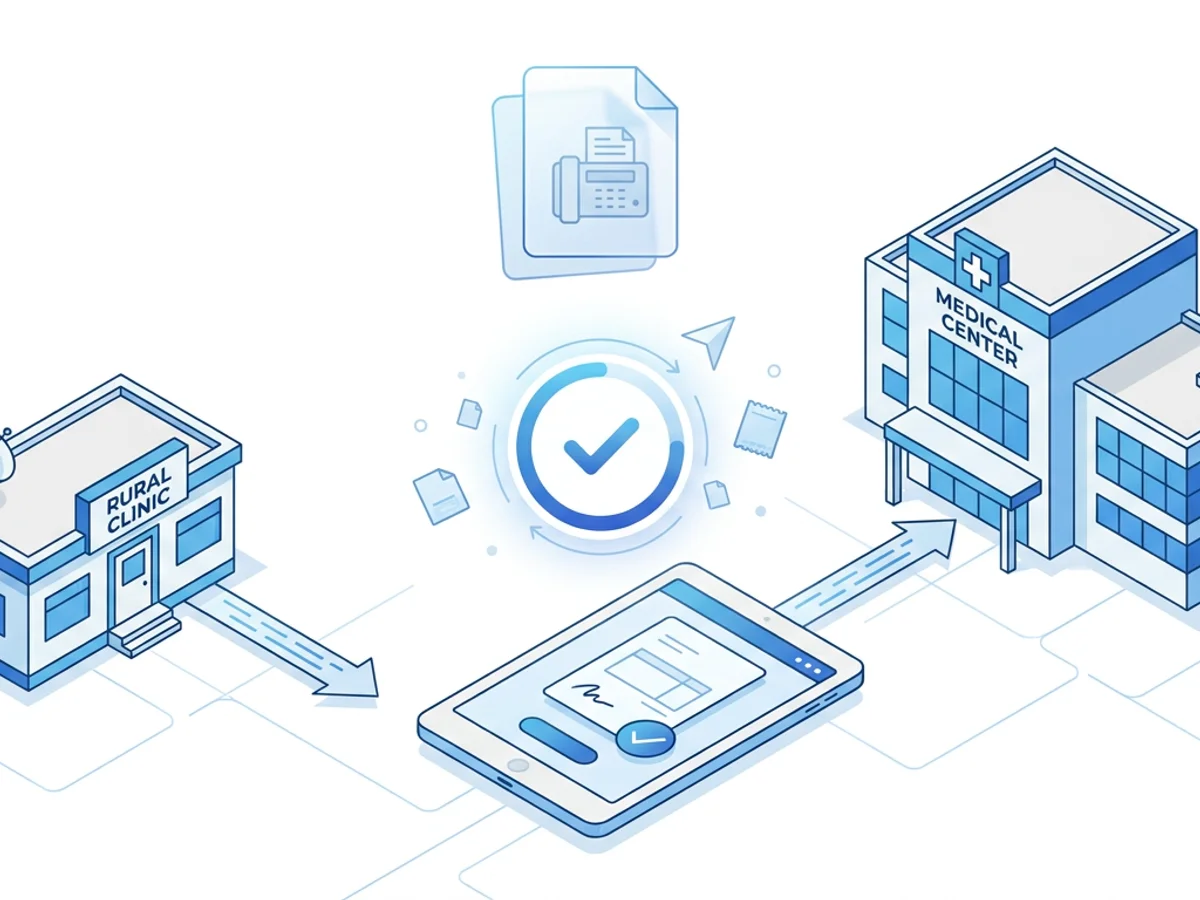
A patient is sitting in your exam room with worsening knee pain, a suspicious skin lesion, uncontrolled migraines, or a cardiology concern that needs follow-up soon. You have the referral order ready, the chart notes are signed, and the specialist’s office asks for the packet by fax before they will schedule.
Then the friction starts.
The front desk is sharing one fax machine with billing. The phone line is busy. The nurse has to print 18 pages from the EHR, add a cover sheet, walk to the machine, wait for a confirmation, and hope nothing jams. If the specialist says they never received it, the clinic has to resend the whole thing—sometimes after the patient has already called twice asking why no one has contacted them.
For rural clinics, referral delays are not just an administrative inconvenience. A missed or slow referral can mean a patient drives two hours to the wrong appointment, waits weeks longer for a specialty consult, or gives up because the process feels too difficult. Fax is still common in specialist workflows, so the practical question is not always “How do we eliminate fax?” It is often: How do we make faxing referral packets faster, cleaner, and easier to track?
Browser-based faxing can help rural clinic teams send complete referral packets from a phone, tablet, or computer without being tied to a physical fax machine. Used with a clear internal workflow, it can reduce avoidable back-and-forth and help keep patients moving through the care process.
Why referral packets get stuck in rural clinics
Rural clinics often work with a lean team. One person may be answering phones, checking in patients, handling prior authorization messages, and sending referrals between rooming patients. Even when everyone is experienced, the system can create bottlenecks.
Common delay points include:
- A single fax machine serving multiple departments. Referrals compete with lab orders, billing documents, imaging requests, and outside records.
- Paper-heavy workflows. Staff print chart notes, orders, demographics, medication lists, insurance cards, and prior authorization documents before faxing.
- Incomplete packets. A specialist may require the referral order, last office note, labs, imaging reports, insurance information, and a specific intake form. If one item is missing, the referral may sit unprocessed.
- Unclear transmission status. A “sent” fax is not always the same as a confirmed delivery. If staff do not save confirmation pages, it becomes harder to prove when the packet went out.
- Limited backup options. If the fax machine is down, the phone line is busy, or toner is out, the referral queue stalls.
- After-hours needs. A provider finishing charts in the evening may want to send a packet immediately rather than leave it for the next morning’s front-desk pile.
Here is a realistic example: a rural primary care clinic refers a patient to a dermatology office 75 miles away. Dermatology will not schedule until they receive the referral order, clinic note, lesion photo, insurance card, and medication list. If the clinic prints everything and faxes it manually, the packet may not go out until the end of the day. If it fails, staff may not notice until tomorrow. If dermatology says the photo did not come through clearly, the process starts again.
None of this is unusual. It is exactly the kind of routine operational drag that can stretch a simple referral into a multi-day task.
Build the packet before you touch the fax button
The fastest fax workflow is not just about the fax tool. It starts with a complete packet.
Rural clinics can reduce specialist callbacks by using a referral packet checklist for each common specialty. The list does not need to be complicated. A one-page internal guide can prevent missing pages and help new staff learn what each specialist expects.
For example, an orthopedic referral packet might include:
- Referral order with diagnosis and reason for consult
- Most recent office note related to the condition
- Medication list and allergy list
- Relevant imaging report, such as X-ray or MRI
- Insurance card or coverage details if requested
- Patient demographics and contact information
- Any specialist-specific intake form
A cardiology referral might require recent ECGs, lab results, blood pressure logs, or hospital discharge notes. A neurology referral may need imaging reports, headache diaries, prior medication trials, or emergency department records.
The key is to avoid treating every referral like a custom project. If your clinic sends to the same five or ten specialists every week, create saved checklists by receiving office. Note their fax number, preferred packet order, required forms, and any known scheduling requirements.
A simple naming convention also helps. If staff are uploading digital files for faxing, use file names that make sense at a glance:
Smith_Jane_DermReferral_Order.pdfSmith_Jane_OfficeNote_2026-02-10.pdfSmith_Jane_LesionPhoto.jpgSmith_Jane_InsuranceCard.png
This lowers the chance that the wrong document is attached or that a required file is overlooked. It also makes resending easier if the specialist requests the packet again.
Before sending, staff should quickly confirm three things:
- The patient name and date of birth appear on the relevant pages.
- The specialist fax number is current.
- The cover page clearly identifies the receiving department and reason for referral.
Those steps take less than a minute and can save hours of follow-up later.
How browser-based faxing fits into a rural referral workflow
Browser-based faxing is useful because it moves the sending step away from the physical fax machine. With BestFax.com, clinic staff can send and receive faxes from a web browser on a phone, tablet, or computer. The service works in Safari, Chrome, Firefox, and Edge, with no app download required.
That flexibility matters in rural settings. A nurse can send a referral packet from a workstation near the exam rooms. A provider finishing documentation from a laptop can send the signed note and referral order without printing. A front-desk employee can upload the packet from a shared computer while the main fax machine is being used for something else.
The workflow can be straightforward:
- Export or save the referral documents as digital files.
- Combine or organize the required packet materials.
- Upload supported files, such as PDF, Word documents, or image files.
- Add a professional fax cover page.
- Enter the specialist’s fax number carefully.
- Send the fax and save the confirmation or delivery receipt.
This is especially helpful when the packet includes mixed document types. Many clinics have referral orders as PDFs, intake forms as Word documents, and insurance cards or clinical images as image files. A tool that supports PDF, Word, and image uploads reduces the need to print everything just to scan it again.
It also helps with access. A small satellite clinic may not have a reliable fax machine in every location. A visiting provider may be working from a rural outreach site. A care coordinator may need to send records while away from the main front desk. If the necessary documents are available digitally and the clinic’s internal policies allow the workflow, browser-based faxing can keep the referral moving.
There are limits to be clear about. Online faxing does not fix an incomplete referral. It does not make a specialist process the packet faster once received. And any healthcare organization should review its own privacy, security, and compliance obligations before choosing tools for patient information. BestFax.com uses TLS encryption for fax transmissions, but it does not offer a BAA or healthcare-specific compliance certification. Clinics should make decisions based on their own requirements and risk review.
Preventing the most common fax-related referral delays
A sent fax should not disappear into a black hole. Rural clinics can reduce delays by treating fax confirmations as part of the referral record and by creating a follow-up rhythm.
Start with fax number control. Specialist offices change numbers, split departments, or route referrals to a centralized scheduling unit. If your staff keep fax numbers in sticky notes, old spreadsheets, or memory, errors are inevitable. Maintain one current referral directory that includes:
- Specialist or group name
- Department or referral line
- Correct fax number
- Phone number for follow-up
- Required forms or packet elements
- Date the information was last verified
When a specialist says, “We never got it,” the first question should not be “Who sent it?” It should be “What does the confirmation show?” Fax confirmation and delivery receipts provided by the fax service give staff a practical record of transmission. Save those receipts according to your clinic’s document retention process, or note the confirmation in the referral tracking workflow.
A simple referral tracking note might say:
2/10/26, 3:42 p.m. — Referral packet faxed to North Valley Cardiology at XXX-XXX-1234. Delivery receipt received. Follow-up call planned in 48 hours if no appointment confirmation.
This kind of note helps everyone. If the patient calls, the front desk can answer confidently. If the specialist requests a resend, staff can see exactly what was sent and when. If a provider asks about status, the referral is not dependent on one employee’s memory.
Another useful practice is batching without delaying. Some clinics save referrals until late afternoon and send them all at once. That can work for routine consults, but it can also create a daily bottleneck. Consider a same-day standard: routine referral packets should be sent before the end of the business day, while urgent referrals are sent as soon as the packet is complete.
For urgent referrals, add a phone call. Fax is good for transmitting documents, but a call can confirm that the specialist office is watching for the packet and understands the urgency. The best workflow is often fax plus phone, not fax alone.
Also pay attention to cover pages. A professional cover page should make the packet easy to route. Include the receiving office or department, patient identifiers your clinic normally uses, referring provider, callback number, number of pages, and a brief reason for referral. Avoid vague labels like “records attached.” A better line is “New cardiology referral — abnormal ECG and exertional chest pain evaluation requested.”
That small amount of clarity can prevent the packet from landing in the wrong queue.
Practical safeguards for small teams
In a rural clinic, process design has to survive busy Mondays, staff vacations, weather closures, and intermittent equipment problems. The goal is not a perfect workflow on paper. It is a workflow that still works when the day is messy.
One safeguard is role clarity. Decide who is responsible for each step:
- Provider signs the order and completes the note.
- Nurse or medical assistant gathers condition-specific clinical documents.
- Referral coordinator or front desk verifies specialist requirements and sends the packet.
- Assigned staff member checks confirmation and tracks follow-up.
In a very small clinic, one person may perform several of these steps, but the steps should still be defined. Otherwise, everyone assumes someone else sent the packet.
Another safeguard is a resend plan. If a specialist says the fax was not received, staff should not have to rebuild the referral from scratch. Keep the digital packet together long enough to resend quickly according to your clinic’s policies. Save the confirmation receipt. Note the resend date and time.
It also helps to standardize packet order. For instance:
- Cover page
- Referral order
- Patient demographics
- Insurance information, if required
- Most recent related note
- Labs, imaging, or test results
- Specialist forms or supporting documents
Specialist offices process large volumes of referrals. A predictable packet order makes their job easier and may reduce calls back to your clinic.
Cost predictability matters too, especially for small organizations watching overhead. BestFax.com offers a $4.95 one-time per fax option or a $10/month subscription. A clinic that only occasionally needs browser-based faxing may prefer paying per fax, while a clinic sending frequent referral packets may find a monthly subscription simpler. There is no free trial, so teams should choose the pricing option that fits their expected use.
Finally, train for exceptions. What happens if the internet is down? What if the specialist’s fax fails three times? What if an urgent referral must be sent after the front desk leaves? Write down the backup steps. Rural care often depends on people improvising well, but a short written plan keeps improvisation from becoming confusion.
A faster referral fax workflow, in real terms
Imagine this improved version of the dermatology referral from earlier.
During the visit, the provider documents the suspicious lesion and signs the referral order. The medical assistant saves the office note, order, insurance card image, and lesion photo as digital files using the clinic’s normal process. The referral coordinator checks the dermatology checklist and sees that the office wants a specific intake form included.
Instead of waiting for the front desk fax machine, the coordinator uploads the PDF order, Word intake form, office note, and image file through a browser-based fax tool. They add a cover page stating “New dermatology referral — changing pigmented lesion, evaluation requested,” enter the verified specialist fax number, send the packet, and save the delivery receipt.
The referral tracker is updated the same afternoon. When the patient calls the next morning, staff can say, “Your referral packet was sent yesterday afternoon, and we have confirmation it was delivered. We’ll follow up with dermatology if you haven’t heard from them by tomorrow.”
That is the practical benefit: fewer unknowns, fewer paper steps, and less time lost to preventable fax problems.
Fax may not be anyone’s favorite part of healthcare operations, but it remains part of how many referrals move. Rural clinics can protect patients from avoidable delays by preparing complete packets, using current specialist requirements, saving confirmations, and giving staff a flexible way to send documents without waiting on a machine in the corner.
Send your first fax at BestFax.com.
Related Posts
How Vascular Labs Can Fax ABI Reports to Referring Doctors Without Delays
Practical steps for vascular labs to fax ABI reports faster, reduce errors, and document delivery without relying on a single fax machine.
How Crisis Counselors Fax 988 Follow-Up Referrals Without Care Delays
Practical guidance for crisis counselors sending 988 follow-up referrals by fax without slowing handoffs or losing delivery confirmation.
How Prosthetics Clinics Can Fax Detailed Written Orders Without Medicare Delays
Practical fax workflow tips for prosthetics clinics sending Detailed Written Orders while reducing avoidable Medicare documentation delays.