Why Fax Still Matters in Law—and How to Do It From Any Device, No App Needed
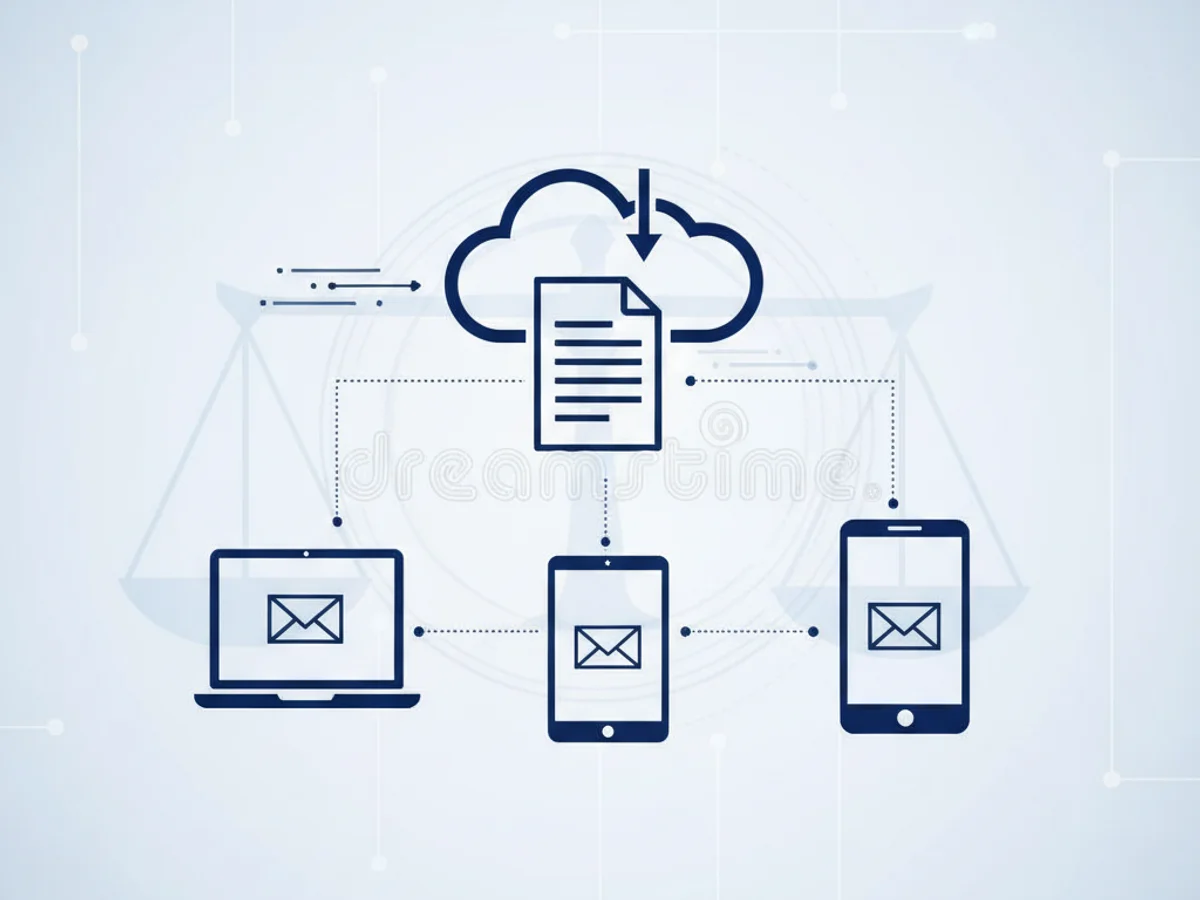
For all the advances in legal tech, one tool refuses to fade from the legal workflow: fax. From client intake packets and medical records to court notices and settlement agreements, law firms continue to rely on fax for document transfer because it’s compliant, traceable, and widely accepted by counterparties that still operate on legacy systems. The question isn’t whether fax is relevant—it’s how to use it securely and efficiently in a mobile-first world.
BestFax.com makes that answer simple. It’s a secure, private online fax service that runs in any browser—on iPhone, Android, tablets, and computers—so attorneys and staff can send and receive faxes instantly without installing software or downloading an app.
Why law firms still use fax for document transfer
Legal work demands certainty. Fax provides clear advantages that align with the profession’s requirements for security, admissibility, and proof of delivery:
- Compliance and acceptance: Many courts, insurers, medical providers, and government agencies still accept or prefer fax. It’s a dependable bridge to organizations that haven’t standardized on modern portals.
- Evidentiary value: Transmission confirmations and time-stamped logs create an auditable trail that’s easy to document in case files.
- Reduced phishing and spoofing risk: Compared with email, fax doesn’t rely on inbox filtering or spoofable sender domains, lowering common social engineering risks.
- Page-based fidelity: Fax preserves pagination and formatting, which matters for exhibits, signed pages, and forms that must look exactly as prepared.
- Interoperability without onboarding: You don’t have to enroll a counterparty in a portal or manage logins—fax numbers are universal.
- Rapid delivery without IT hurdles: Fax bypasses many email restrictions like attachment size limits and strict spam filters that delay or block critical filings.
These aren’t sentimental reasons. They’re operational realities that reduce risk and keep matters moving. The practical takeaway for modern firms is to keep fax capability—but modernize how you use it.
The modern approach: browser‑based, secure faxing from any device
Traditional fax machines and server-based software come with drawbacks: hardware upkeep, toner and line costs, and limited mobility. The modern approach is to move faxing to the cloud—without introducing new friction for busy teams.
BestFax.com lets you send and receive faxes directly from a web browser on any device:
- Works on phones, tablets, and computers: If it has a browser, you can fax. That includes iPhone, Android, iPad, and Windows or Mac laptops and desktops.
- No app or software to install: Skip app store downloads and IT tickets. Log in and fax instantly from your mobile browser.
- Secure, private faxing: Protect sensitive client information, including medical records and financial data, with enterprise‑grade security.
- Professional cover pages included: Add a polished, branded cover page in seconds to clearly identify sender, recipient, and matter details.
- Affordable pricing: Choose pay‑per‑fax for occasional needs or a monthly subscription for steady volume—without hidden hardware costs.
That “no app needed” design is more than a convenience. It’s a compliance and productivity win:
- Faster onboarding: New team members can start faxing immediately—no approvals or installs.
- Fewer security exceptions: Browser access avoids elevated device permissions often required by native apps.
- True mobility: Attorneys can review and send documents between hearings, depositions, or client meetings using the phone already in their pocket.
Where fax fits in a modern legal workflow
Fax remains a critical pathway in several common scenarios:
- Medical records and liens: Personal injury and workers’ compensation matters frequently involve hospitals, clinics, and insurers that rely on fax. A secure online fax like BestFax.com streamlines these exchanges.
- Time‑sensitive notices: When you need a time-stamped confirmation and predictable delivery, fax offers a dependable channel with immediate transmission receipts.
- Executed documents: When a counterpart prefers faxed execution copies or requires a hard copy on their end, fax ensures the pages they print match your originals.
- Cross‑organization coordination: Multi‑party matters (co‑counsel, experts, carriers) often include at least one participant who prefers fax. An online fax solution accommodates them without slowing your team down.
With BestFax.com, these use cases stay organized in one secure place, accessible from any device. Incoming faxes arrive in your account, ready to download, route, or archive. Outgoing transmissions include confirmations you can save to the file.
What to look for in an online fax solution (and how BestFax.com delivers)
Choosing a fax platform for a law firm means balancing security, usability, and cost predictability. Prioritize these essentials:
- Browser‑first experience: Fax from iPhone, Android, tablets, or desktops with no software to install.
- Security and compliance: secure protections for sensitive documents and a reliable audit trail.
- Mobile‑friendly interface: A clean, responsive design so staff can send and receive faxes from their mobile browser with no pinching and zooming.
- Professional presentation: Built‑in cover pages to clearly communicate matter numbers, sender details, and instructions.
- Flexible pricing: Pay only for what you use or choose a monthly plan that matches your volume.
BestFax.com was built around these exact needs. It removes the friction of legacy machines and the risk of ad‑hoc workarounds, giving your firm a secure, modern, and court‑practical way to move documents without changing how counterparties work.
How it works in practice
- Upload your document from your device or cloud storage.
- Add a professional cover page with case and contact details.
- Enter the recipient’s fax number and send directly from your browser.
- Receive a transmission confirmation for your records.
- Incoming faxes appear in your BestFax.com account, accessible from any device.
Because it’s browser‑based, your team can do all of this on an iPhone or Android device while on the go—no separate mobile app required.
The bottom line: keep the reliability, lose the hardware
Fax persists in law for good reasons: it’s widely accepted, produces reliable proof of delivery, and aligns with the way many counterparties still operate. The key is using fax in a way that matches how modern legal teams work: mobile, secure, and fast.
BestFax.com gives your firm the benefits of fax without the bottlenecks of machines or software. Send and receive faxes securely from any browser, on any device, with professional cover pages and flexible, affordable pricing. And because there’s no app to download, you can start faxing in minutes—right from your phone, tablet, or computer.
Ready to modernize your firm’s faxing?
- Visit BestFax.com to start faxing securely from your browser today.
- Choose pay‑per‑fax or a monthly plan that fits your caseload.
- Empower your team to fax from iPhone, Android, tablets, and desktops with no app required.
Try BestFax.com now and keep your matters moving—securely, compliantly, and without the hardware headaches.
Related Posts

How Mobile Phlebotomists Fax Lab Requisitions Without Specimen Delays
Practical field tips for mobile phlebotomists to fax lab requisitions clearly, confirm delivery, and avoid paperwork-related specimen delays.
How Title Companies Fax Payoff Statements Without Closing Delays
Payoff statements can stall closings when faxing is slow or disorganized. Learn practical steps title companies can use to send, confirm, and track payoff faxes.
How Immigration Attorneys Fax I-693 Medical Exam Packets Without RFE Delays
Practical guidance for immigration attorneys faxing I-693-related packets, RFE responses, and tracking documents while preserving clear records.