How ASCs Can Fax Operative Reports to Referring Doctors Without Follow-Up Delays
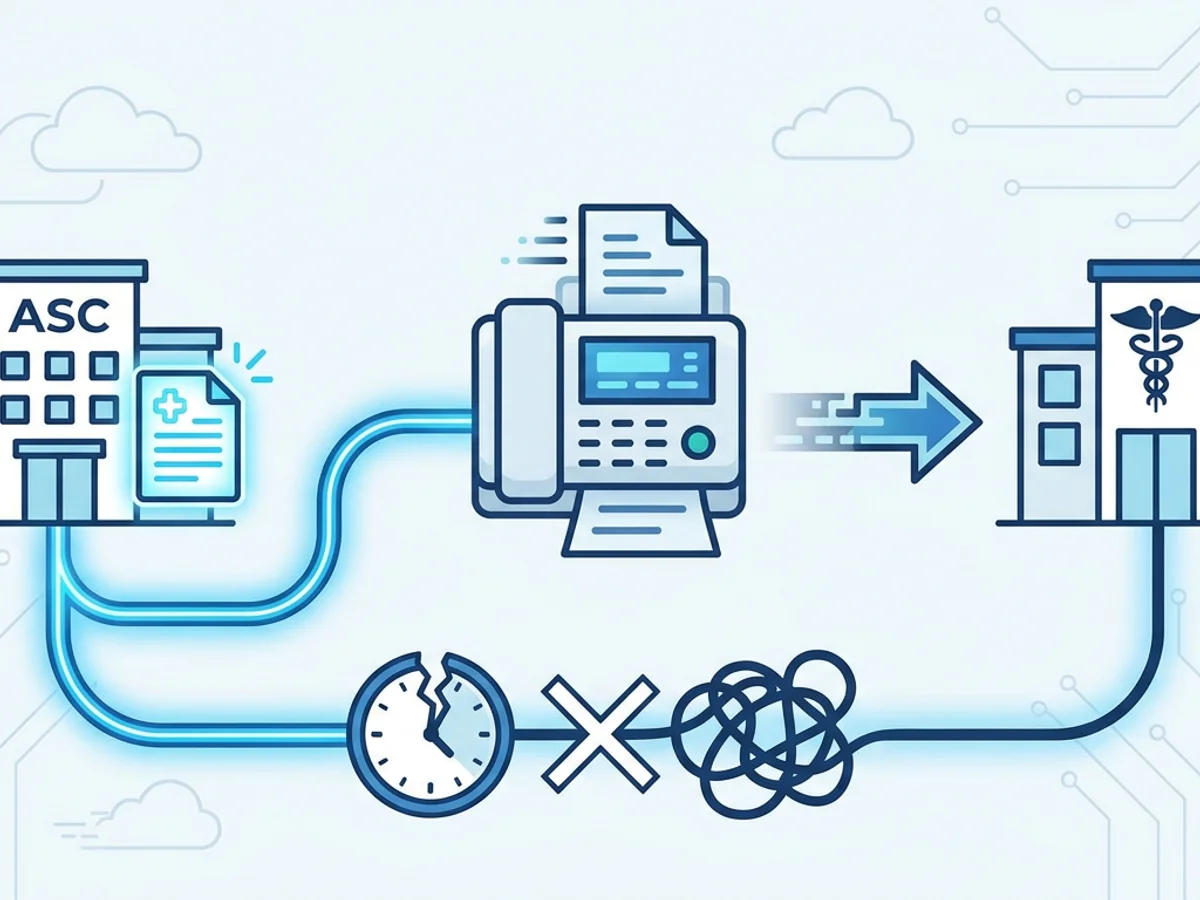
A surgeon finishes a case at 10:40 a.m. The referring physician’s office wants the operative report before the patient’s follow-up call that afternoon. The patient’s family is asking what happens next. Your ASC staff is also juggling discharge paperwork, implant logs, pathology forms, and the next room turnover.
This is exactly where delays happen: the operative report is dictated but not routed, printed but not faxed, faxed but not confirmed, or confirmed but not documented in the right place. None of these problems are dramatic on their own. But together, they create the kind of communication lag that frustrates referring doctors and leaves patients waiting for answers.
For many ambulatory surgery centers, fax is still part of the workflow because referring practices continue to request records that way. The goal is not to make fax more complicated. The goal is to make the process predictable: correct report, correct recipient, clear cover page, reliable delivery confirmation, and a documented handoff.
Below is a practical way ASCs can tighten operative report faxing without adding unnecessary steps.
Start by Identifying Where Operative Report Delays Actually Occur
Most fax delays are not caused by the fax itself. They usually happen upstream or downstream.
A common ASC scenario looks like this:
- The surgeon dictates the operative note after the case.
- The report is transcribed or finalized later in the day.
- A staff member prints or downloads the report.
- Someone looks up the referring physician’s fax number.
- A cover page is prepared.
- The fax is sent.
- Confirmation is checked.
- The delivery receipt is filed, scanned, or otherwise recorded.
That sounds straightforward, but every step has a potential pause. A missing signature, an outdated fax number, a printer issue, a busy fax machine, or a report saved in the wrong format can turn a five-minute task into a same-day bottleneck.
ASCs can reduce delays by treating operative report faxing as a defined handoff rather than an informal end-of-case task. That means answering a few operational questions in advance:
- Who is responsible for sending the operative report?
- At what point is the report considered ready to send?
- Where is the referring doctor’s fax number verified?
- What file format should staff send?
- Where is the fax confirmation stored?
- What happens if the fax does not go through?
These questions do not require a complicated policy manual. Even a simple checklist can help. The important part is consistency, especially when multiple staff members rotate through post-op documentation duties.
Build a Same-Day Fax Workflow That Matches ASC Reality
An ASC day moves in waves. Early cases produce early paperwork, while later cases often collide with end-of-day closing tasks. If your process depends on someone remembering to fax reports “when things calm down,” follow-up delays are likely.
A better approach is to match faxing to natural workflow points.
For example, an orthopedic ASC might create a routine like this:
- Morning cases: operative reports are faxed to referring doctors by early afternoon when finalized.
- Afternoon cases: reports are faxed before end-of-day if available, or placed in a next-morning queue.
- Reports pending pathology, implants, or clarification: flagged separately so staff do not wait on every report as a batch.
This avoids the “all or nothing” problem. Staff can send completed reports as they become available rather than holding everything until the last surgeon signs off.
A gastroenterology center may handle things differently. If referring physicians mainly need procedure findings and recommendations quickly, the ASC might prioritize faxing finalized procedure notes for patients with abnormal findings, medication changes, or urgent follow-up instructions. Routine reports can still go out on a standard schedule, but the cases most likely to generate phone calls do not wait in the same pile.
The key is to define urgency by the kind of follow-up the referring doctor needs. Not every operative report has the same time sensitivity.
A practical priority order might be:
- Reports with urgent or time-sensitive findings
- Reports affecting medication, wound care, or activity restrictions
- Reports needed before a scheduled follow-up visit
- Routine completed operative reports
- Reports waiting on addenda or missing details
This kind of triage helps staff avoid spending equal effort on unequal tasks.
Use Browser-Based Faxing to Remove Device and Location Bottlenecks
Traditional fax machines can work fine until they do not. Paper jams, toner issues, busy signals, shared phone lines, and staff waiting at a single machine can slow down what should be a quick send. In smaller ASCs, the fax machine may also sit in a front-office area while clinical documentation work happens elsewhere.
Browser-based faxing can help because staff can send a fax from a computer, tablet, or phone with a web browser. BestFax.com, for example, works in Safari, Chrome, Firefox, and Edge, and no app download is required. That matters when a staff member needs to send an operative report from a workstation, a shared office computer, or another device without installing software.
The basic workflow is simple:
- Save or export the operative report as a supported file.
- Upload the document.
- Add the referring physician’s fax number.
- Use a professional cover page.
- Send the fax.
- Save the delivery receipt or confirmation.
The service supports PDF, Word, and image file uploads, which covers the formats many ASCs already use when exporting operative reports or scanned documents. PDF is usually the cleanest choice because it preserves formatting and reduces the chance of layout changes.
This is especially useful in real-world situations where the report is ready, but the person responsible for sending it is not sitting next to the fax machine. For example:
- A charge nurse confirms a report is finalized while working from a clinical workstation.
- A business office employee needs to send reports after the front desk fax machine is tied up.
- A manager needs to resend a document after a referring office says it was not received.
- A staff member is using a tablet or laptop and needs to handle one fax quickly without returning to a central machine.
Browser-based faxing does not eliminate the need for good internal controls, but it can remove a surprisingly common obstacle: access to a working fax device at the exact moment the report is ready.
One important note for healthcare organizations: evaluate any faxing tool against your own privacy, security, and compliance requirements before sending patient information. BestFax.com uses TLS encryption for fax transmissions, but it does not offer a BAA or healthcare-specific compliance certification. ASCs should involve their compliance, privacy, or administrative leadership when deciding what types of documents may be sent through any outside service.
Make the Cover Page and Confirmation Part of the Clinical Handoff
The operative report itself is only one part of the communication. The cover page and confirmation receipt are what make the fax traceable.
A clear cover page helps the referring office route the document correctly. Vague cover sheets create extra work for the receiving office, especially if a multi-provider practice has centralized fax intake.
A useful operative report cover page should include:
- Referring physician name
- Referring practice name
- Patient name and date of birth, if appropriate under your internal policies
- Date of procedure
- Surgeon name
- Type of document, such as “Operative Report” or “Procedure Note”
- Callback number for questions
- Number of pages included
- Any routing note, such as “For follow-up appointment on 10/14”
Professional fax cover pages are included with the service, which helps staff avoid recreating cover sheets from scratch. Still, the content matters. A polished cover page with incomplete routing information can still delay follow-up.
Confirmation is just as important. A delivery receipt tells your team that the fax transmission completed. It does not guarantee that the right person read the report, but it does provide a record that the document was sent to the intended fax number at a specific time.
ASCs should decide where confirmations live. Depending on your workflow, that might mean:
- Saving the confirmation as part of the patient record
- Uploading it to a document management system
- Attaching it to a task in the scheduling or referral workflow
- Storing it in a daily fax log
- Noting the successful send in a communication field
The exact location depends on your systems. What matters is that staff do not treat fax confirmation as a disposable screen message. If a referring office calls later and says, “We never received the op report,” your team should be able to quickly answer:
- When was it sent?
- What fax number was used?
- Did the transmission complete?
- Who sent it?
- Was it resent, and when?
That level of traceability prevents wasted time and protects the relationship with the referring practice.
Reduce Resends by Cleaning Up the Details Before Sending
Many follow-up delays come from avoidable resend requests. The fax technically went out, but something was wrong: the wrong number, missing pages, unreadable scan, incomplete report, or no clear recipient.
A short pre-send check can prevent most of these issues.
Before faxing an operative report, staff should confirm:
The report is final enough to send.
If your ASC distinguishes between preliminary and finalized reports, staff need to know which version is appropriate for referring physicians. Sending a draft by mistake can create confusion and extra calls.
The recipient is correct.
Referring physicians may practice at multiple locations. Fax numbers change. Practices merge. A number saved from last year may now route somewhere else. If a fax number has not been used recently, build in a verification step.
The document is legible.
Scanned images should be readable, properly oriented, and complete. If a multi-page report is uploaded as images, make sure every page is included in the right order.
The cover page matches the recipient.
It is easy to reuse a cover sheet and forget to update the physician name or practice. That small error can cause the receiving office to question whether the report was meant for them.
The confirmation is captured.
Delivery receipts should be saved or documented according to your ASC’s process before the task is closed.
This check does not need to be burdensome. A simple “final, correct recipient, readable file, complete pages, confirmation saved” routine can catch the most common problems in under a minute.
It is also wise to maintain a small directory of frequently used referring fax numbers, with a process for updating it. Staff should know how to flag a bad number so the same failed send does not happen repeatedly. If a referring office calls with a corrected fax number, update the source of truth immediately rather than writing it on a sticky note or leaving it in a voicemail message.
Have a Resend and Exception Plan Before the Phone Rings
Even with a strong process, some faxes fail or need to be resent. The difference between a minor hiccup and a follow-up delay is how quickly staff can respond.
Create a standard exception workflow for situations like these:
- Fax failed or did not complete
- Referring office says the report was not received
- Report was sent to an outdated number
- Only some pages came through
- The receiving office needs the report before a patient appointment
- A corrected operative report replaces a prior version
For failed sends, staff should verify the number, resend, and document the second attempt. For “not received” calls, check the delivery receipt before assuming the fax failed. Sometimes the report arrived at a central fax inbox but has not yet been routed internally by the receiving practice.
For corrected reports, make it obvious that the newer version replaces the earlier one. Use the cover page note field to state that the fax contains a corrected or updated operative report, if that is consistent with your internal policy.
Pricing can also matter when deciding how to handle occasional versus regular faxing. BestFax.com offers a $4.95 one-time per fax option or a $10/month subscription. An ASC that only needs occasional browser-based faxing may view one-time faxing differently than a center that sends reports regularly. Be realistic about volume so the workflow is sustainable.
The larger point is that exceptions should not require improvisation. If every failed fax becomes a custom problem, staff lose time and referring offices wait longer.
A Practical ASC Faxing Checklist for Operative Reports
A concise checklist can help keep the process moving during a busy surgery day. Adapt this to your own documentation and compliance requirements:
- Confirm the operative report is ready to send.
- Verify the referring physician and practice.
- Confirm the fax number from an approved source.
- Export or save the report as a PDF when possible.
- Review the file for completeness and legibility.
- Add a clear professional cover page.
- Send the fax from an approved workflow or tool.
- Check the delivery receipt.
- Save or document the confirmation.
- Flag any failed sends, bad numbers, or resend requests.
This kind of checklist is not about adding bureaucracy. It is about making sure the referring doctor has the report when they need it, without staff hunting through paper stacks, shared drives, or fax machine logs.
Operative report faxing works best when it is treated as a time-sensitive communication task, not an afterthought. With a defined workflow, accurate recipient information, readable files, clear cover pages, and saved confirmations, ASCs can reduce avoidable delays and improve the experience for referring offices and patients alike.
Send your first fax at BestFax.com.

Related Posts

How Mobile Phlebotomists Fax Lab Requisitions Without Specimen Delays
Practical field tips for mobile phlebotomists to fax lab requisitions clearly, confirm delivery, and avoid paperwork-related specimen delays.

How Title Companies Fax Payoff Statements Without Closing Delays
Payoff statements can stall closings when faxing is slow or disorganized. Learn practical steps title companies can use to send, confirm, and track payoff faxes.

How Immigration Attorneys Fax I-693 Medical Exam Packets Without RFE Delays
Practical guidance for immigration attorneys faxing I-693-related packets, RFE responses, and tracking documents while preserving clear records.