How Geriatric Care Managers Fax POA Forms to Hospitals Without Discharge Delays
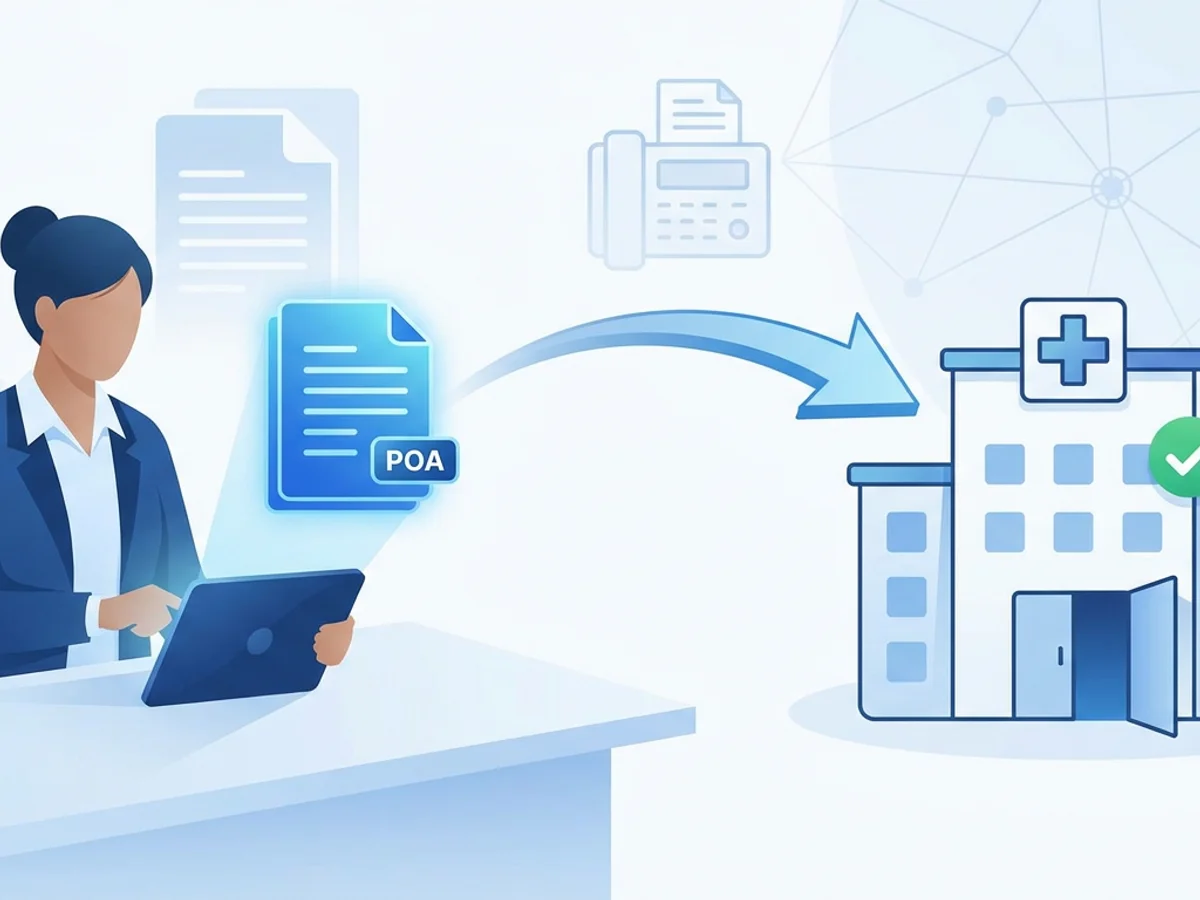
A hospital discharge can stall over one missing document.
You have a daughter in another state who holds power of attorney. The hospital case manager needs proof before discussing placement options. The skilled nursing facility will not accept the patient until the paperwork is in the chart. The physician has already written discharge orders, transportation is tentatively scheduled, and everyone is waiting on a POA form that exists as a PDF in someone’s email.
For geriatric care managers, this is a familiar pressure point. You are often the person coordinating between the family, hospital discharge planner, social worker, attorney, primary care office, rehab facility, and sometimes a bank or long-term care insurer. When a hospital requires a faxed copy of a power of attorney form, you need a method that is fast, clean, documented, and usable from wherever you happen to be.
Browser-based faxing can help in exactly these moments. BestFax.com lets you send and receive faxes from a web browser on a phone, tablet, or computer, which means you do not have to locate a physical fax machine when discharge timing is tight. But avoiding delays is not just about having a fax tool. It is about preparing the document correctly, routing it to the right department, writing a cover page that gets acted on, and confirming delivery before the discharge window closes.
Why POA paperwork slows down hospital discharges
Power of attorney documents matter because hospitals need to know who is legally authorized to receive information, consent to certain decisions, or participate in planning. In real discharge workflows, though, the issue is rarely that no POA exists. The issue is that the hospital does not have the document in the right place at the right time.
Common delay scenarios include:
- The family has the POA as a scan or phone photo, but the hospital asks for it by fax.
- The document was sent to the main hospital fax number but never reached the unit or discharge planning office.
- The fax arrived without enough identifying information, so records staff could not match it to the patient.
- The hospital received the first page only, or the pages were out of order.
- The care manager has a copy but is away from the office and cannot access a fax machine.
- The receiving facility will not move forward until the hospital confirms the POA is in the chart.
The most frustrating part is that these are administrative problems, not care problems. A patient who is medically ready can remain in limbo because a document is floating somewhere between admissions, medical records, and the unit printer.
For a geriatric care manager, the goal is not simply to “send a fax.” The goal is to get a readable, complete POA document into the hands of the person who can update the chart and keep discharge planning moving.
A practical POA fax workflow for care managers
When time is short, a repeatable process helps. The following workflow is designed for real hospital discharge situations, especially when you are working remotely, traveling between client visits, or coordinating after normal office hours.
1. Confirm exactly where the hospital wants the POA sent
Before sending anything, ask for the direct fax number and the name or role of the person expecting it. “The hospital fax number” is often not enough.
A more useful question is:
“Which fax number goes directly to the unit, case management office, or medical records queue that will attach this to the chart today?”
If possible, get:
- Department name, such as Case Management, Social Work, Medical Records, or Unit Clerk
- Direct fax number
- Patient’s unit and room number
- Name of the discharge planner or case manager
- Any required internal reference number
- Whether they need the entire POA or only selected pages
Hospitals can have multiple fax numbers, and the wrong one can add hours. If the discharge planner says, “Fax it to medical records,” ask whether you should also send a copy to the unit or case management. Some hospitals require medical records to upload the document formally, while the discharge team also needs a working copy to proceed.
2. Check that the POA file is complete and readable
POA documents are often scanned years after signing, photographed on a kitchen table, or pulled from an attorney’s email attachment. Before faxing, open the file and verify it.
Look for:
- All pages included, especially signature and notary pages
- Patient/principal name visible
- Agent name visible
- Dates and signatures legible
- No cropped margins
- Pages in correct order
- No password protection that prevents uploading or viewing
- File format compatible with your fax method
With BestFax.com, you can upload PDF, Word, and image files, which covers most POA copies families send. If a family member texts several page photos, it is worth arranging them in order and checking each image before sending. A blurry signature page can still cause the hospital to reject the document or ask for a resend.
If you are working from a phone, do not assume the attachment is fine because it opens in a small preview. Zoom in on the signature block and notary section. Those are often the pages the hospital staff will inspect first.
3. Use a cover page that tells hospital staff what to do
A fax cover page is not a formality in discharge planning. It is a routing tool.
Professional fax cover pages are included with the service, and using one gives you a clean place to summarize the purpose of the fax. Keep it short but specific. Hospital staff may be triaging many incoming pages, so your cover page should make the document easy to match and act on.
A strong cover page might include:
- Recipient department and contact person
- Patient full name
- Patient date of birth
- Unit and room number, if known
- Sender name and callback number
- Document description: “Durable Power of Attorney for Health Care” or “Financial Power of Attorney,” as appropriate
- Number of pages, including cover page
- Action requested
Example:
Attention: Case Management / 4 West Unit Clerk
Re: Mary L. Johnson, DOB 03/14/1938, Room 412
Document: Health Care Power of Attorney, 8 pages including cover
Please upload to chart and notify discharge planner Angela R. when received. Discharge to Green Valley Rehab is pending documentation.
Sender: Karen Smith, Geriatric Care Manager, 555-123-4567
That one paragraph can prevent the fax from sitting unclaimed. It tells the recipient why the document matters and what needs to happen next.
4. Send from wherever you are, but do not skip verification
One advantage of browser-based faxing is that you can send from Safari, Chrome, Firefox, or Edge without being tied to an office machine. No app download required. If you are in your car between appointments, at a client’s home, or working from a tablet at a hospital cafe, you can still transmit the POA.
The mechanics are straightforward: choose the file, enter the recipient fax number, add the cover page details, and send. Pricing is also simple: $4.95 one-time per fax or a $10/month subscription, depending on how often you expect to fax. There is no free trial, so care managers who fax regularly may want to compare the one-time and monthly options based on actual usage.
After sending, do not move on immediately. Wait for the fax confirmation or delivery receipt and save it with the case notes. A confirmation does not guarantee the hospital has uploaded the document to the chart, but it does give you a timestamped record that the fax transmission completed.
That receipt is useful when you call the unit or discharge planner:
“I faxed the POA to 555-987-6543 at 10:42 a.m. and have a delivery confirmation. Can you check whether it has reached your queue and been added to the chart?”
This is often the step that prevents a discharge delay. Sending the fax is only half the task. Closing the loop is what gets the document recognized.
What to include, what to avoid, and how to protect the timeline
POA forms can be sensitive, and discharge situations can feel rushed. A calm checklist helps you send only what is needed and reduce back-and-forth.
First, clarify the type of POA requested. A hospital may need a health care power of attorney, advance directive, guardianship order, or other authorization. A financial POA may not be enough for medical decision-making, depending on the document and state law. As a care manager, you are not there to provide legal interpretation unless qualified to do so, but you can make sure the hospital receives the document the family actually has and prompt the hospital to review it.
Second, avoid sending unrelated records unless requested. If the hospital asks only for the POA, do not attach tax documents, bank paperwork, estate planning correspondence, or an entire legal binder. Extra pages can slow review and create unnecessary exposure of personal information.
Third, label the document in plain language before uploading if your file name is confusing. A file called “IMG_4472.jpeg” or “Scan0006.pdf” is easy to mix up on your end. A clearer file name such as “Johnson_Mary_HCPOA_8pages.pdf” helps you choose the right attachment.
Fourth, watch page count. If your cover page says there are 8 pages including cover and the hospital receives 5, the recipient knows immediately that something is missing. This makes troubleshooting faster.
Fifth, document your steps in the client record. A simple note might say:
10:42 a.m. Faxed Mary Johnson HCPOA to St. Anne Hospital Case Management at 555-987-6543 via online fax. 8 pages including cover. Delivery receipt saved. 10:55 a.m. Left voicemail for Angela R., discharge planner, requesting confirmation document was uploaded to chart.
This protects continuity if another team member has to take over later in the day.
Real-world discharge examples where fax details matter
Consider a few common situations.
The out-of-state daughter
Your client is hospitalized after a fall. Her daughter in Arizona is the named agent under a health care POA and emails you the document. The hospital in Ohio will not discuss discharge options until the POA is on file. You are at another client’s apartment, not near your office.
Using a browser-based fax service, you upload the daughter’s PDF from your laptop, attach a cover page with the patient’s name, date of birth, unit, room, and discharge planner’s name, then send it to the case management fax number. You save the delivery receipt and call the discharge planner 15 minutes later. Because the fax is easy to identify, the planner locates it and proceeds with the SNF referral conversation.
The fax did not solve every discharge issue, but it removed one bottleneck quickly.
The blurry phone photo problem
A son sends four phone photos of a POA. Page three is readable, but page four contains the notary stamp and is blurred. If you fax it as-is, the hospital may reject it and ask for a clearer copy. That could push the discharge discussion into the next shift.
Instead, you review the images before sending, notice the problem, and ask the son to retake page four in better light on a flat surface. You then fax the corrected images. Ten minutes of quality control prevents an hour of rework.
The wrong fax number loop
A hospital operator gives you the general medical records fax number. You send the POA and receive confirmation, but the discharge planner says it is not in the chart. Rather than resending blindly, you ask the planner for the direct unit or case management fax. You send again with a cover page that says discharge placement is pending, then call to confirm receipt.
The lesson: a delivery receipt proves the fax arrived at a number. It does not prove the right person saw it. Direct routing and follow-up matter.
The after-hours discharge push
A patient is ready for transfer to rehab late Friday afternoon. The family produces a POA at 4:30 p.m., and the receiving facility wants confirmation that the authorized decision-maker is documented. Waiting until Monday could mean unnecessary hospital days.
From a tablet, you send the POA through the browser, include the receiving facility name in the cover note, and call the charge nurse to confirm the unit has the document. This type of quick administrative response can make the difference between a Friday transfer and a weekend delay.
Honest compliance and security considerations
Care managers should be thoughtful about how they handle POA forms because these documents contain personal and legal information. BestFax.com uses TLS encryption for fax transmissions, which helps protect data during transmission. The service does not offer a BAA or healthcare-specific compliance certification.
That means your agency should decide whether and when this type of tool fits your policies, client agreements, and applicable obligations. Some care managers may use it for family-provided legal documents when permitted by their internal procedures. Others may be required to use only organization-approved systems. If you work under a contract with a hospital, law firm, guardianship program, or care management agency, follow that contract and your supervisor’s guidance.
Practical safeguards still matter:
- Confirm the fax number verbally before sending.
- Use the minimum necessary pages requested for the task.
- Double-check attachments before transmission.
- Avoid sending from shared or public devices.
- Save delivery receipts in the appropriate client record.
- Do not leave downloaded POA files scattered across personal devices.
- Follow your agency’s retention and deletion policies.
Security is not just about the fax provider. It is also about your workflow before and after the fax is sent.
A short checklist for avoiding POA-related discharge delays
When a discharge is waiting on POA paperwork, use this sequence:
- Ask the hospital which exact POA or authorization document is needed.
- Get the direct fax number for the department handling the chart update.
- Confirm the patient identifiers the hospital wants on the cover page.
- Review the POA for completeness and legibility.
- Make sure signature and notary pages are included, if applicable.
- Upload the correct PDF, Word, or image file.
- Use a professional cover page with patient name, DOB, unit, room, contact person, and action requested.
- Send the fax from a secure browser session.
- Save the fax confirmation or delivery receipt.
- Call the recipient to confirm the document was received and added to the chart.
- Record the fax details and follow-up in your case notes.
This checklist is intentionally simple. In discharge planning, simple is useful. The more complicated the process, the easier it is to miss a page, send to the wrong number, or assume someone received a document they have not seen.
The bottom line for geriatric care managers
Faxing POA forms is not glamorous work, but it can directly affect how quickly an older adult moves to the next appropriate level of care. A missing or misrouted document can hold up a rehab bed, delay a family decision, or keep a discharge planner from completing required steps.
A browser-based fax option gives care managers a practical way to send POA documents from a phone, tablet, or computer when a physical fax machine is not available. The key is to pair the tool with a disciplined process: confirm the number, prepare the file, write a useful cover page, save the delivery receipt, and follow up with the hospital.
When the paperwork is clear and the routing is precise, you reduce the chance that a preventable administrative delay becomes another night in the hospital.
Send your first fax at BestFax.com.

Related Posts

How ENT Clinics Fax Allergy Serum Orders Without Mixing Delays
Practical steps ENT clinics can use to fax allergy serum orders clearly, confirm delivery, and reduce lab mixing delays.

How Mobile X-Ray Providers Can Fax STAT Reports to Nursing Homes Without Delays
Practical ways mobile X-ray providers can fax STAT reports to nursing homes faster, with fewer routing delays and clearer delivery tracking.

How Sports Medicine Clinics Fax MRI Orders Without Authorization Delays
Practical ways sports medicine clinics can fax MRI orders with cleaner packets, better routing, delivery receipts, and fewer authorization delays.