How Foster Care Agencies Fax Placement Packets to Judges Before Same‑Day Hearings
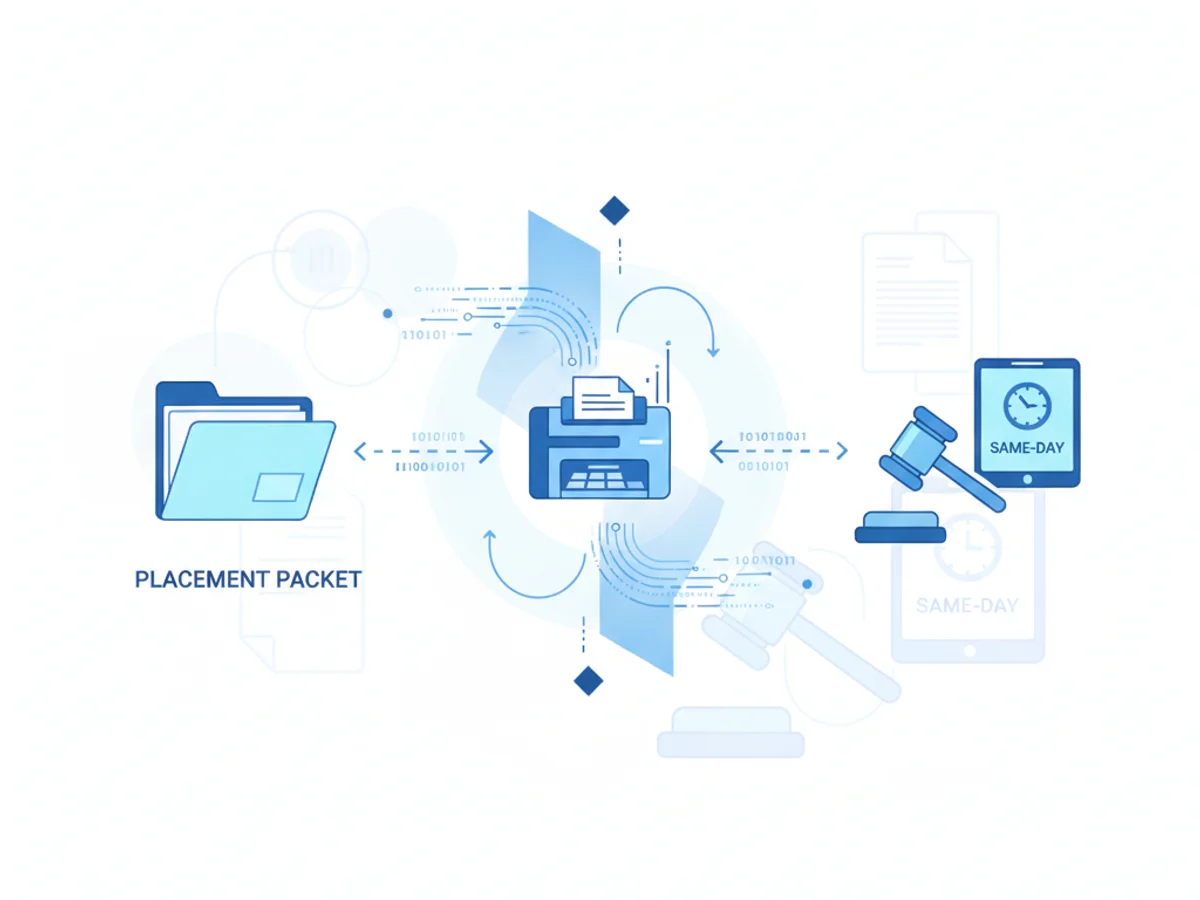
You don’t get 48 hours to prepare when a child needs an emergency placement and a judge sets a same‑day shelter care hearing. You get minutes. Caseworkers are chasing medical consents, attorneys want a clean timeline, and the court clerk is asking, “Can you fax the placement packet now?”
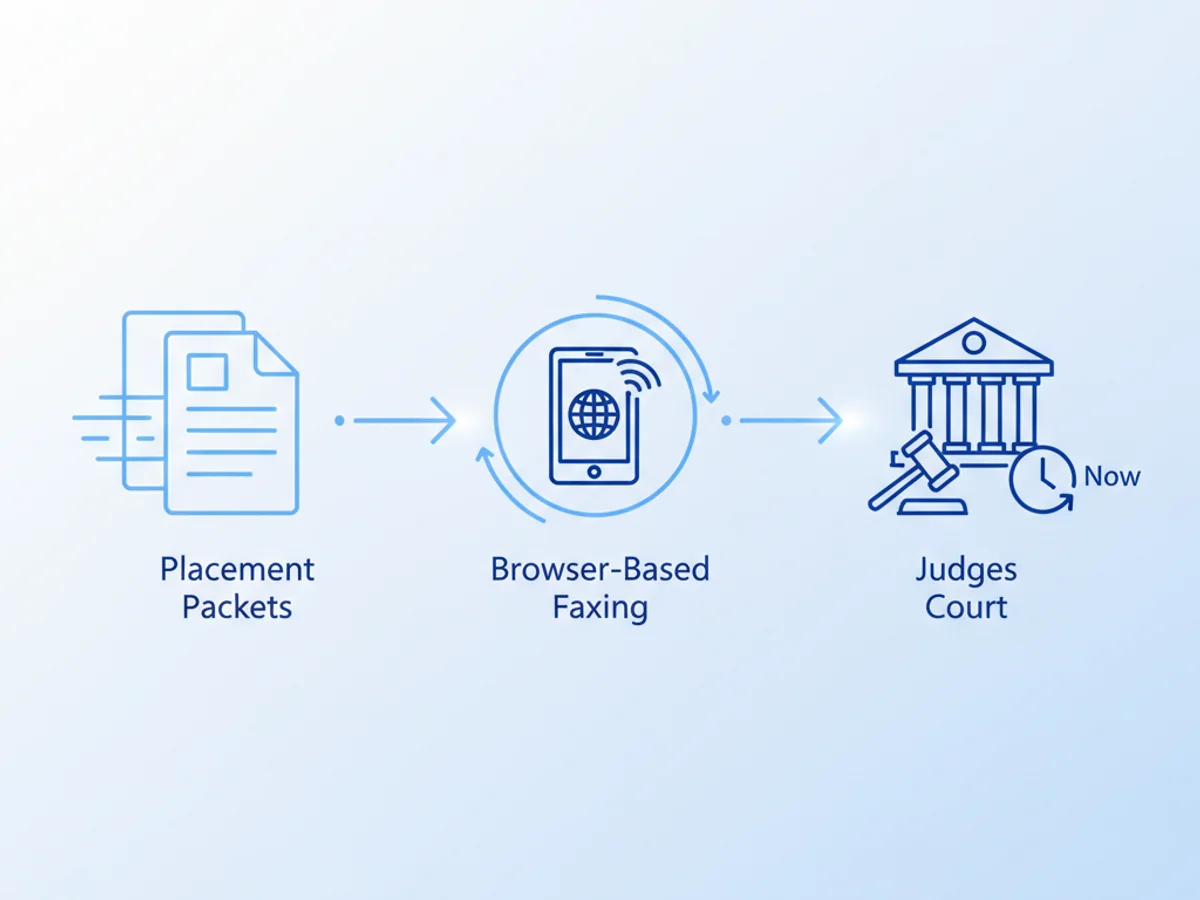
This post walks through exactly how agencies assemble and fax those packets under pressure — and how browser-based faxing can keep you compliant with court workflows without running back to the office copier.
The real challenge: Court deadlines collide with scattered paperwork
Picture a Tuesday at 3:10 p.m. A placement just stabilized with a vetted kinship caregiver. The judge is holding a 4:00 p.m. call. The court requires the initial placement packet by fax because that’s what gets logged, stamped, and routed to chambers the fastest.
But the documents live everywhere:
- The removal affidavit is a Word file on the supervisor’s desktop.
- The caregiver’s background check letter is a scanned PDF in SharePoint.
- The child’s immunization card photo is on a caseworker’s phone.
- The ICWA inquiry is a two-page image the attorney texted.
You have to compile, label, and transmit a single, legible fax to the court’s secure number — and you need confirmation it arrived before the hearing starts. You don’t have time to fight with a jammed machine, find toner, or return to a locked office.
What courts expect in a same‑day placement packet (and what actually gets sent)
Every jurisdiction is different, but judges and clerks consistently expect a streamlined packet with:
- Authority and narrative
- Agency removal affidavit or sworn declaration
- Brief case summary/timeline covering removal circumstances and imminent risk
- Any prior orders relevant to placement authority
- Placement details
- Caregiver name, address, and relationship to child (redacted as required)
- Home approval or preliminary safety assessment
- Background check clearance confirmation (if permissible to share)
- Child information
- Demographics and aliases
- Known medical needs and current medications
- Immunization record or status statement
- Education placement and IEP status, if relevant to immediate safety
- Required notices and inquiries
- ICWA inquiry/notice documentation
- Parent/guardian notification attempts
- CASA/GAL assignment if already in place
- Logistics and contact
- Caseworker and supervisor contact info
- After-hours line for the court
On the ground, packet contents flex to the clock. If the immunization card is a phone photo, you include it. If a signature page is pending, you flag it in the cover note and send a supplemental fax once it’s signed. What matters most: the court can read it, file it, and act on it right now.
A practical step‑by‑step: From scattered files to a court‑ready fax
The good news is you can do the entire workflow from a browser — on a phone in the parking lot, a tablet on a kitchen table, or a laptop in a conference room. No app download required. Here’s a real‑world process teams use.
- Gather the documents fast
- Pull the affidavit (Word), the assessment (PDF), and any scanned approvals (PDF or images).
- Snap clear photos of physical documents with your phone if needed: fill the frame, avoid shadows, place on a dark background.
- Save everything with meaningful file names: “01_Affidavit.docx,” “02_PlacementAssessment.pdf,” “03_Immunization.jpg.” Court clerks appreciate obvious sequencing.
- Convert or combine (only as necessary)
- If you have time, combine to a single PDF in your desktop tool so pagination is fixed.
- If not, upload individual files in sequence; browser‑based faxing supports PDF, Word, and image formats and will assemble them in the order you choose.
- Prepare a clear cover page
- Use the professional cover page template in the tool.
- Include: court name and fax number, case caption/docket if known, child initials only (follow local privacy rules), sender contact, and a concise memo: “Emergency placement packet for 4:00 p.m. hearing. Pages 1–27. Additional medical authorization to follow.”
- Add a confidentiality notice, and note any partial documents or pending signatures.
- Double‑check legibility and order
- Preview each page. Are phone‑captured images rotated upright? Are margins legible when reduced to fax resolution? If text is faint, re‑shoot the photo against higher contrast or increase brightness.
- Confirm pagination: affidavits first, then placement approvals, then child info and notices.
- Send from the browser
- From Safari, Chrome, Firefox, or Edge, log in to the service on your phone, tablet, or computer.
- Enter the court’s fax number exactly as provided by the clerk. If the court requires a department extension or code page, include it as the first page.
- Attach your files in the correct order. Select the cover page template.
- Send. If the court line is busy (common before hearings), reattempts usually happen automatically. Stay within cell or Wi‑Fi range while it processes.
- Capture confirmation for the record
- Save or print the fax confirmation/delivery receipt to your case file and, if policy requires, to the court filing system.
- If the court doesn’t acknowledge receipt within a few minutes, call the clerk and be ready to resend the confirmation page by email or re‑fax.
Security, compliance, and what to tell your counsel
Agencies handle sensitive information. You should know exactly what protections and limitations apply to any tool you use.
- Transmission security: Fax transmissions in this service use TLS encryption while in transit.
- BAA: The service does not offer a Business Associate Agreement and does not claim healthcare compliance certification. Many child welfare filings are governed by court confidentiality orders and state child welfare laws rather than healthcare privacy law, but medical details may still be present. Consult agency counsel on whether this setup fits your risk profile and data‑sharing rules.
- Access hygiene: Use unique credentials, enable device screen locks, and avoid saving documents to shared photo galleries. On shared computers, log out of browser sessions after sending.
- Minimization: Redact non‑essential PII where permitted. If the court only needs caregiver initials, don’t send the full driver’s license image unless requested or required by local rule.
- Recordkeeping: Store fax confirmations and transmitted packets according to your retention schedule. Label the event (e.g., “ShelterCareFax_2026-06-27_1550”) for quick retrieval.
Honesty matters: if your policy requires a vendor BAA for any document containing protected health information, this tool will not meet that requirement. Some agencies route strictly medical attachments (e.g., hospital discharge summaries) through alternative channels or seek court direction to verbally summarize at hearing and file medical records later under seal.
Common pitfalls that delay judges — and quick fixes
Busy signals and timeouts: Courts with one machine get swamped 30–60 minutes before calendar. Send as early as possible, and if you get a failure notice, re‑send while also calling the clerk to confirm a backup number.
Illegible phone photos: Darken and re‑crop before sending. If available, switch to PDF scans from a copier or scanning app. Keep margins wide; fax compresses aggressively.
Out‑of‑order packets: Name files with numeric prefixes and preview the compiled fax. Clerks won’t hunt for pages during the call.
Missing case caption or docket: Put child initials, birth year, and “Emergency Placement” on the cover page, then give the docket by phone as soon as assigned.
Over‑sharing sensitive data: If the court doesn’t require the caregiver’s full SSN or the child’s full medical record today, leave it out. Note “available upon request or to be filed under seal.”
When a $4.95 one‑off fax makes sense vs. a monthly plan
Agencies and attorneys often land in one of two patterns:
Occasional emergency filings: If you only need to send a packet a few times a quarter, paying $4.95 per fax keeps procurement simple and avoids another recurring line item.
Weekly court traffic: If you’re sending pre‑hearing packets, subpoenas, and school notices throughout the month, a $10/month subscription may be simpler to manage and budget. There’s no free trial, so decide based on your expected volume and your fiscal rules.
Tip: Track one month of actual usage. If you send three or more faxes, the subscription likely pays for itself. If you send one big packet occasionally, the per‑fax option remains budget‑friendly.
Real‑world example: A 45‑minute sprint to a 4 p.m. hearing
3:12 p.m. Caseworker Elena confirms kinship caregiver cleared preliminary checks. Supervisor needs the affidavit signed and the placement safety walk‑through attached.
3:19 p.m. Attorney emails the signed affidavit (Word). Elena exports to PDF but keeps the Word file ready just in case. She snaps photos of the immunization card and the caregiver’s home safety checklist.
3:26 p.m. On her phone’s browser, she logs into the tool. She selects the court’s juvenile division fax number from her notes.
3:28 p.m. She chooses the built‑in cover page template and adds: “Emergency placement packet for 4:00 p.m. hearing. Includes affidavit, safety assessment, ICWA inquiry, immunization record. Medical release to follow pending parent signature.”
3:31 p.m. She uploads files in order: 01_Affidavit.pdf, 02_SafetyAssessment.pdf, 03_ICWAinquiry.jpg, 04_Immunization.jpg. She rotates the immunization image to portrait and increases brightness.
3:34 p.m. Send. The court line is busy; the service retries automatically.
3:38 p.m. Confirmation arrives. Elena saves the delivery receipt as a PDF to the case system and messages the clerk: “Faxed 27 pages, receipt attached.”
3:58 p.m. Judge references the packet on the record, acknowledges receipt time, and proceeds. Elena follows up post‑hearing with the medical release via a short supplemental fax.
Why browser‑based faxing fits court‑first realities
It meets courts where they are. Many juvenile divisions still rely on fax for time‑stamped intake to chambers and clerk routing. Email attachments can stall in shared inboxes; e‑filing may not be enabled for confidential juvenile matters.
It works from anywhere with a signal. Staff on scene don’t need to return to an office. One login from a phone sends a complete packet.
It handles mixed file types. Word affidavits, PDFs, and images go in one transmission with a professional cover page.
It provides proof. A fax confirmation/delivery receipt is tangible evidence you met the court’s directive on time.
BestFax.com supports this workflow in any modern browser, including Safari, Chrome, Firefox, and Edge. You can send and receive faxes from a phone, tablet, or computer, with TLS encryption in transit and confirmation receipts for your records.
Setting up a repeatable, agency‑wide process
- Standardize a naming convention and an order: Affidavit, Placement, Notices, Child Info, Attachments.
- Pre‑build a cover page template note for emergency hearings. Staff can add details fast.
- Keep a shared, regularly updated list of court fax numbers and after‑hours contacts.
- Train staff to check legibility and rotate images before sending.
- Establish a fallback: If the court fax fails twice, call the clerk for an alternate number, split the packet in two, or request permission to email while continuing to attempt fax.
- Clarify redaction rules and BAA considerations in your policy binder so staff know what can be sent via this tool and what must be handled another way.
This last point bears repeating: while fax is widely accepted for court filings, your agency’s privacy obligations govern what you transmit. The service does not offer a BAA or formal healthcare compliance certification. Align your use with counsel’s guidance and local court rules.
Quick reference: What you need at your fingertips
- Court fax number (primary and backup)
- Case caption or at least child initials and birth year
- Sender contact info (direct line and after‑hours)
- The four core components: Authority narrative, Placement details, Child info, Notices
- A clean cover page message with page count and a heads‑up about any follow‑up pages
- Space to save the confirmation/delivery receipt to the case record
When every minute counts, eliminating the trip to a physical fax machine can be the difference between a smooth hearing and a scramble. Browser‑based faxing lets frontline staff assemble, send, and document packets quickly — while keeping courts in their familiar workflow.
Send your first fax at BestFax.com.
Related Posts
How Vascular Labs Can Fax ABI Reports to Referring Doctors Without Delays
Practical steps for vascular labs to fax ABI reports faster, reduce errors, and document delivery without relying on a single fax machine.
How Crisis Counselors Fax 988 Follow-Up Referrals Without Care Delays
Practical guidance for crisis counselors sending 988 follow-up referrals by fax without slowing handoffs or losing delivery confirmation.
How Prosthetics Clinics Can Fax Detailed Written Orders Without Medicare Delays
Practical fax workflow tips for prosthetics clinics sending Detailed Written Orders while reducing avoidable Medicare documentation delays.